How do you check a used camera flash before buying?
Quick answer
Verify the exact flash version against your camera’s shoe and communication system, then test on-camera operation and any wireless features you need. Inspect the foot, battery compartment and head movement. Use the correct batteries and spaced test shots within the manual’s limits; repeated full-power bursts are not a sensible condition test.
Compatibility comes before condition
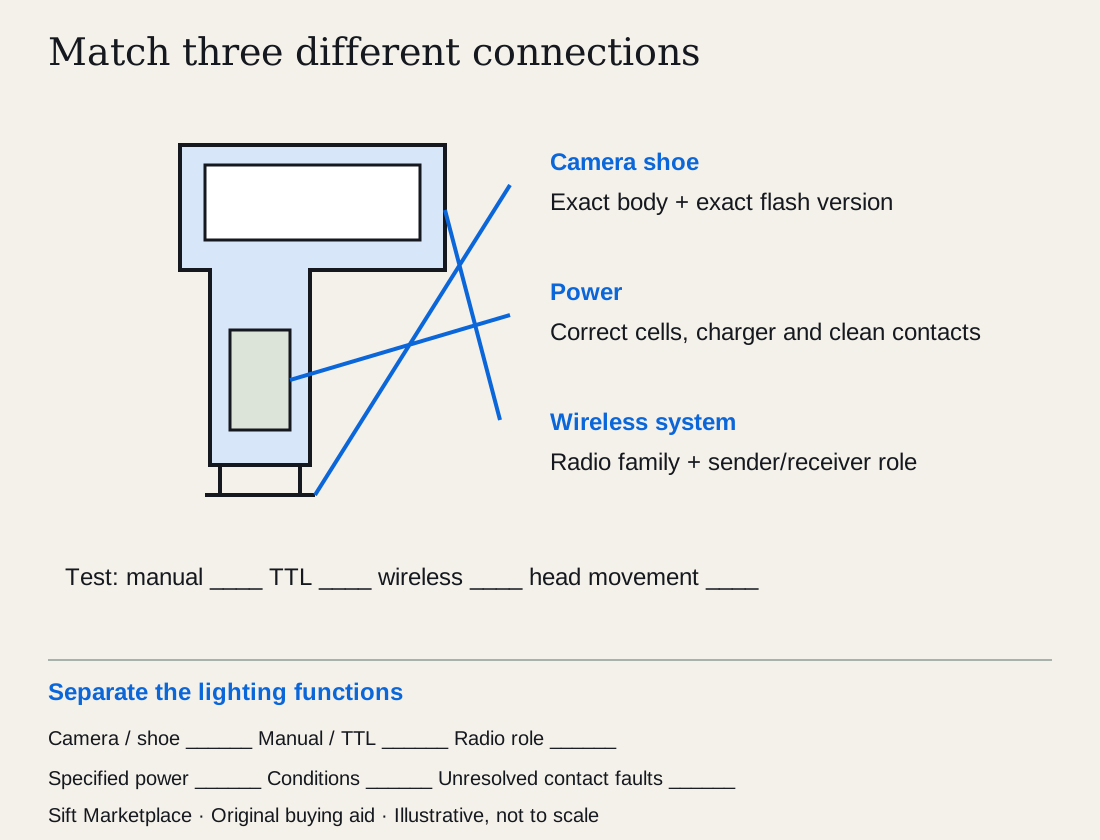
Record the full flash model, camera-brand suffix and generation. Many third-party flashes are sold in physically similar versions for different systems. A shared radio family does not automatically provide the same on-camera functions on every body.
Check your exact camera in the manufacturer’s compatibility information. Canon’s EL-10 description, for example, specifies its multi-function shoe and excludes other shoe designs. Brand matching alone is not enough.
For an older flash, establish electrical compatibility before putting it on a modern camera. Do not use physical fit as a safe-trigger-voltage test. Choose a confirmed supported combination or ask the manufacturer.
 Enlarge diagram
List the functions your photography needs
Decide whether you need TTL metering, manual power, high-speed sync, bounce, swivel, optical triggering or radio control. Check the model’s specification for each. “Wireless” can describe different systems and roles.
For off-camera use, identify the transmitter and receiver arrangement. A flash that receives radio commands may not control other units. Canon’s support information illustrates why radio and optical capabilities should be checked separately.
Ask whether a stand foot, pouch, diffuser, filter holder, battery and charger are included. Count proprietary accessories carefully. A missing common stand foot is a different purchase problem from a missing specialised rechargeable battery.
Inspect the foot, head and battery compartment
With power off, look for a cracked mounting foot, bent contacts, damaged locking mechanism and loose head joints. Operate tilt and swivel only through the allowed positions and use release buttons where required.
Open the normal battery compartment. Look for leakage, corrosion, broken springs and a door that no longer latches securely. Do not probe contacts with metal tools or open the main casing. Flash capacitors can retain hazardous charge.
Ask about drops, water exposure, repairs and the kind of use it had. A photographer’s estimate of firing count is not a measured life remaining. Condition and a normal demonstration are more useful than a confident “barely used” claim.
Use a short, spaced firing sequence
Bring your camera and suitable known-good batteries or a properly charged specified pack. Follow both manuals and begin with modest settings.
- Mount and secure it normally. Confirm the lock holds without unusual force.
- Take a manual test frame. Check that the flash fires and that the exposure changes appropriately when you adjust manual output.
- Test TTL if needed. Use an ordinary scene and check that the camera and flash communicate. One good exposure does not establish every metering situation.
- Move the head. Try bounce and swivel positions while keeping the setup secure.
- Test radio or optical functions separately. Use your intended compatible transmitter and confirm the required channels or groups.
- Check recycling between spaced shots. Keep battery, output and temperature conditions in mind.
Do not stress-test with rapid full-power bursts. Canon’s thermal guidance explains that repeated firing can heat the unit and restrict operation. Follow the exact model’s firing and cooling limits.
| Result | Buying interpretation |
|---|---|
| Manual flash fires | Basic triggering works; TTL and radio remain separate |
| TTL works on seller’s camera | Still verify your body and settings |
| Radio works with one transmitter | Confirm your own radio family and required role |
| Slow recycling with unknown batteries | Repeat with appropriate known-good power |
| Battery door needs pressure to stay closed | Repair or replacement needs investigation |
| Intermittent contact at the foot | Do not price it as cosmetic wear |
Compare a complete lighting tool
Create a compatibility record with your camera body, flash’s exact brand/version suffix, shoe type and required shooting role. Then make separate demonstration rows for manual firing, TTL, head movement, recycle behavior and the wireless role you need. A single exposed frame cannot check all of them.
For a hypothetical off-camera portrait setup, the flash fires from the seller’s camera but the buyer needs radio triggering from a different body. Before valuing the flash as ready, identify the compatible transmitter and demonstrate the required receiver/group behavior. Do not assume a radio receiver can act as a transmitter, or that one maker’s similarly named radio system interoperates with another.
Record the specified battery/pack used and the output and temperature conditions during the short demonstration. Canon’s thermal guidance explains why repeated firing can restrict operation. A slow recycle observation with uncertain power is not a diagnosis of worn electronics, and repeated full-power bursts are not an appropriate buying stress test. Use the actual model’s limits.
In an invented example, Flash A costs $100, needs a $90 confirmed compatible transmitter and $35 specified power/charger items: $225. Flash B costs $180 with the required transmitter and $35 power items: $215. If A’s foot contact is intermittent, neither the transmitter nor a new battery resolves that unassessed fault. These are purchase examples, not market values.
Use the listing comparison tool to preserve each function’s evidence and the cost calculator for confirmed components/service. Treat batteries and chargers pictured nearby as excluded until the bundle is explicit. A bargain from another system may cost more than one that works with equipment you already own.
Ask: “Please send the exact label, foot/contacts, battery compartment and included power items. Can we check manual/TTL and my required wireless role using compatible equipment?” Leave opening or capacitor service to a qualified technician, even when the flash is switched off.
Questions people ask
Will any flash that fits the shoe work fully?
No. Physical fit does not establish TTL metering, high-speed sync, radio control or safe electrical compatibility. Check the exact camera and flash models. Canon’s EL-10, for example, is designed for its multi-function shoe rather than every Canon camera.
Does a slow recycle time mean the flash is worn out?
Not necessarily. Battery type, charge, power setting and temperature all matter. Test with suitable known-good batteries and normal settings. If performance remains inconsistent, leave the cause unresolved until assessed rather than assuming a cheap battery fix.
Can I open a flash to inspect corrosion?
Inspect only the normal user-accessible battery compartment with power off. Do not open the flash casing; internal capacitors can retain hazardous charge. Visible damage or corrosion beyond the compartment needs qualified service.
Sources
- 01Canon Speedlite EL-10
- 02Canon EL-10 flash firing restriction due to temperature
- 03Canon Speedlite EL-10 support