How to buy a used e-reader without screen or account surprises
Quick answer
Identify the exact e-reader generation, check it against your book and library needs, and test the screen, touch controls, frontlight and charging. Ask the seller to remove their account and complete the appropriate reset after the hardware demonstration. Verify fresh setup before paying. Treat books already on the device as having no purchase value unless their lawful transfer is separately established.
Match the model to the way you get books
Ask for a photograph of the model information and the charging connector. Names such as Paperwhite or Clara cover multiple generations; screen size, lighting, storage, charging and supported features may differ. The case colour and a seller’s approximate purchase year are weak substitutes for the actual model number.
Write down your main source of books: a retailer, a public library, your own unprotected documents or a mix. Check that service’s current instructions for the exact device and your country. Library integration and file support are not interchangeable across every Kindle, Kobo and other reader. A PDF-heavy workflow also deserves a real sample test: a small screen can display a document while making it unpleasant to read.
Turn that reading plan into a small acceptance list: one ordinary novel at your preferred font size, one document representative of your work, and your required route for obtaining future books. A reader that opens a large PDF may still demand constant zooming and panning. Try the actual page layout instead of treating file support as a promise of comfortable reading.
If you depend on accessibility, physical buttons or adjustable warm lighting, make those explicit requirements. Check menu readability and control reach in your normal grip. A newer generation with an unnecessary feature may be less useful than an older supported model with the controls you prefer; support and setup still need checking for that exact generation.
For a stylus model, confirm that the pen is included and explicitly compatible. A pen-shaped accessory is not enough. If audiobooks matter, verify the supported service, output method and accessory requirements rather than assuming any reader with Bluetooth works with all audio files.
 Enlarge diagram
Ask for charging before the meeting
A flat reader is difficult to evaluate. Ask the seller to charge it in advance and bring the charging cable. Bring a second known-good compatible cable if you have one. Kobo’s charging guidance treats cable, power source and adequate charging time as troubleshooting steps. For a purchase, the useful result is a device that starts and operates, not a promise that a different cable will fix it later.
Inspect the connector for looseness or damage, and the case for separation or swelling. Do not keep charging a visibly swollen or damaged device. Avoid twisting a plug to make an intermittent connection work; normal insertion should be sufficient.
Use both a reading test and a screen test
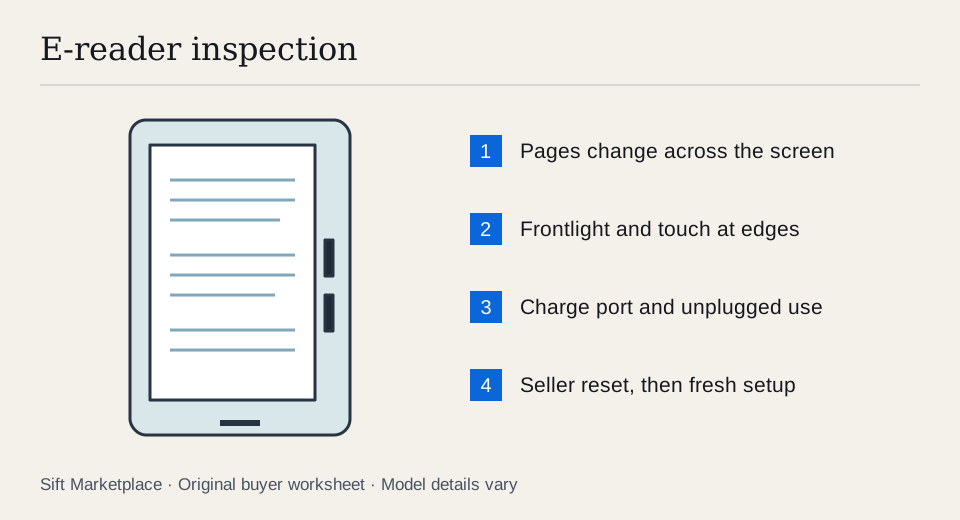
- Start and wake it normally. Ask the seller to open a book, sleep the reader and wake it again. A static cover image alone does not prove operation.
- Turn several pages. Check for areas that fail to update, persistent lines or sections that stay frozen while the rest changes. Normal refresh flashes should not be confused with broken sections.
- Inspect a plain page. Look at the whole surface, especially corners and areas beneath case clips. Try dark and light page backgrounds if the model offers them.
- Test touch across the screen. Use the keyboard or menus to reach different areas. Test physical page buttons separately on models that have them.
- Move the frontlight through its range. Check brightness and any warm-light adjustment. Judge unevenness in moderate light as well as a dimmer setting.
- Read your kind of content. Change text size, open a table of contents and try a representative document where possible. Confirm that the device is comfortable for your actual reading.
- Connect and disconnect power. Confirm charging is recognised and that the reader remains stable unplugged. Record any rapid battery drop without treating a short demonstration as a capacity measurement.
Kobo’s troubleshooting guide describes a physically damaged display as potentially showing shattered patterns, lines or a frozen image. That is useful context for identifying a concern; a seller calling every persistent line “just ghosting” does not resolve it.
Complete account handover after checking the hardware
Let the seller back up or sync their own material before they reset the reader. Do not browse private notes, account details or reading history as part of the test. Use a sample book or document they choose.
Kobo’s reset guidance says a factory reset removes books, signs out the account and resets preferences; it also distinguishes models. Follow the corresponding maker’s instructions for the device you are buying. A reset is not a universal repair for screen damage or a failing battery.
Agree on enough time and a suitable internet connection for sample reading and hardware checks, seller backup, correct reset, your fresh setup, then payment. Keep credentials private and never accept the seller’s account as part of the deal. If setup requires an update, complete it through the official route. Resolve setup errors before paying; the ability to open old downloaded books does not establish that future registration will work.
A short battery observation has a narrow meaning. Record the charge shown, elapsed time, light setting and wireless use. A dramatic drop during an ordinary test is a concern; a stable percentage for ten minutes does not establish weeks of reading. For a device advertised as water-resistant, inspect visible damage but do not wet-test it. Original specifications do not certify the present condition of an aged or repaired unit.
Compare hardware value, not the advertised book count
| Item | How to value it |
|---|---|
| Exact reader generation | Compare the same model and storage where relevant |
| Screen condition | Persistent defects are not routine cosmetic wear |
| Battery | Use demonstrated behaviour; keep untested runtime uncertain |
| Cover | Check fit and sleep/wake function if advertised |
| Stylus | Verify compatibility and a live writing demonstration |
| Seller’s digital library | Do not assume transferable ownership or lasting access |
An illustrative $90 reader needing a $25 case and a quoted $80 battery service reaches $195 before collection. A $150 complete reader with better demonstrated battery behaviour may be more sensible. Those figures illustrate the comparison, not typical repair prices. Put actual quotes into the cost calculator.
Sift, a free Facebook Marketplace filter and scam checker that also works on Kijiji, helps focus model searches on Chrome on a computer. Use listing-word filters and recorded prices to compare relevant local readers. Keep the final decision tied to a clear screen, reliable controls and successful setup.
Questions people ask
Is an image left on an e-reader screen proof it works?
No. An e-ink screen can retain an image while the device is off. Ask the seller to charge it and demonstrate page changes, touch input and normal startup.
Do the seller’s purchased books come with a used Kobo?
Do not assume that. Kobo’s reset documentation says a reset removes books and signs out the account. Value the hardware and use your own lawful book sources, rather than paying extra for access to another person’s library.
Can I test a used e-reader’s full battery life at pickup?
Usually not. A short test can reveal charging failure, sudden shutdown or a rapid drop, but cannot establish a reading runtime measured over days. Ask for observed usage details and price uncertainty accordingly.
Sources
- 01Rakuten Kobo Manual reset and what a reset removes
- 02Rakuten Kobo Fix common e-reader problems
- 03Rakuten Kobo Battery and charging issues