How do you buy a used smart bike trainer that works with your bike?
Quick answer
Identify the exact trainer generation and verify frame, axle and drivetrain compatibility separately from software support. Inventory adapters and power supply, then observe safe mounted riding, data connection and controlled resistance. A Bluetooth connection alone does not show that the trainer can deliver the riding setup you want.
Build a complete compatibility record before the viewing
A direct-drive trainer replaces the rear wheel, so the purchase connects several systems. Write down your bicycle make, model and year; axle type and spacing; rear derailleur model; cassette cog count and tooth range; trainer model/generation; fitted freehub and cassette or single-cog system; and intended device and app.
Do not reduce this to “both are 12-speed.” Wahoo’s drivetrain guidance separates drivetrain, cassette and freehub compatibility, and applies to specified trainer generations. It also distinguishes physical cog installation from support for virtual shifting. Use the current official table for your exact combination rather than copying one generic compatibility claim into every listing comparison.
Frame compatibility is a separate check. Correct axle dimensions do not settle every frame-clearance issue. Obtain manufacturer or competent bicycle-shop confirmation for a doubtful combination before mounting or buying. Do not force a frame into adapters or improvise spacers to make an uncertain setup fit.
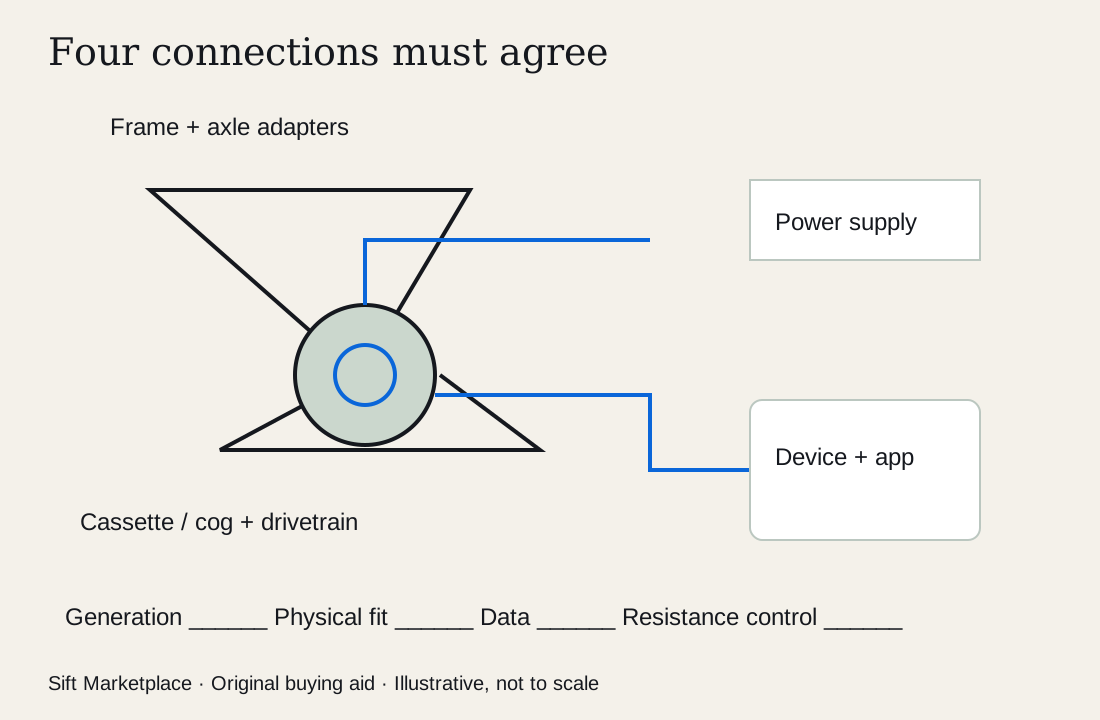 Enlarge diagram
Decide which trainer type you actually need
For a wheel-on trainer, add the bike’s wheel and tire compatibility, roller contact requirements and any specified axle/skewer arrangement. A resistance unit may be electronically controlled, manually controlled or merely broadcasting a measurement. Confirm what the exact model does.
For a smart roller system, check the model’s wheelbase and wheel requirements, restraint arrangement and whether the power figure comes from the trainer or a separate sensor. Do not give a seller’s separate power meter value unless it is included and suitable.
Record whether your intended app can receive the required data and control resistance with this trainer and your computer, tablet, phone or television device. Check current official support rather than relying on an old screenshot. Price subscriptions separately; a seller’s account is not a durable included accessory.
Inventory the actual bundle
Request the serial/model label, both sides, mounting area, feet, power label and all loose parts laid out. Identify the correct power supply, axle adapters, spacers, skewer if applicable, cassette or cog, controller if required, and feet/fasteners. The seller may be retaining the adapters their next trainer needs.
Check external condition for corrosion, sweat residue, damaged connections, cracked feet, altered cables and signs of impact. Ask about noise, dropouts, resistance problems and repairs. Photograph the cassette identity and condition, but do not diagnose every drivetrain sound as trainer failure: bicycle setup and wear also matter.
Confirm that replacement fittings are obtainable for this generation. A cheap older trainer requiring unavailable adapters does not become compatible because a newer model uses the same brand name.
Observe a safe, ordinary ride and control response
Agree on a correctly compatible bicycle, stable setup, correct supply and a competent person to install it using the instructions. Keep clear of rotating parts and allow hot components to cool as specified. A viewing should not require removing a cover or adjusting a running drive mechanism.
Observe a normal ride with the exact connection method available. Record whether the app identifies the device, receives the intended data and changes resistance when commanded in a supported mode. Watch for repeated connection loss, unexpected resistance changes or abnormal sound. Do not request maximum sprints to prove the headline power rating.
| Check | Useful result | What remains separate |
|---|---|---|
| Bicycle mounted correctly | Exact frame and adapters used | Another bicycle’s compatibility |
| Data received | Device/app and connection recorded | Measurement accuracy certification |
| Resistance responds | Supported mode and ordinary ride observed | Maximum output or every app mode |
| Virtual shifting works | Trainer, controller, firmware and app combination | Physical cassette compatibility elsewhere |
| Only powers on | Basic electrical response | Riding, resistance and connectivity |
A second meter comparison can require careful setup and interpretation. Do not claim a universal acceptable power difference or certify calibration from an informal ride. If accuracy is central to the purchase, seek appropriate manufacturer-supported checking or a service assessment.
Compare the cost of getting your bicycle riding
In an invented scenario, Trainer A costs $250, with $55 correct adapters, $70 compatible cassette, $45 fitting and $20 collection: $440. Trainer B costs $370, already has the required parts, and needs $20 collection: $390. Add recurring app costs consistently to your ownership comparison, without pretending they are included in the hardware price.
If A’s freehub also needs replacement, obtain that exact quote before offering. If frame compatibility remains unresolved, a discount does not close the gap in evidence. Use the cost calculator for known purchase/setup amounts and keep recurring charges in a separate note.
Finish the handover with your own setup
Save the exact model and serial for support, the included-parts list and the observed app/device combination. Follow the manufacturer’s current process for firmware, pairing and any ownership/account changes that apply. Do not take the seller’s password or treat their paid software library as transferable value.
Ask: “Which generation and serial is it, what freehub/cassette and adapters are included, and can we see normal riding plus app-controlled resistance? Here are my bicycle and drivetrain details.” Buy when the physical and software chains both close, and negotiate only omissions whose solution is confirmed.
Sources
- 01Wahoo Drivetrain compatibility
- 02Wahoo KICKR bicycle frame compatibility