How to inspect a used camera body beyond the shutter count
Quick answer
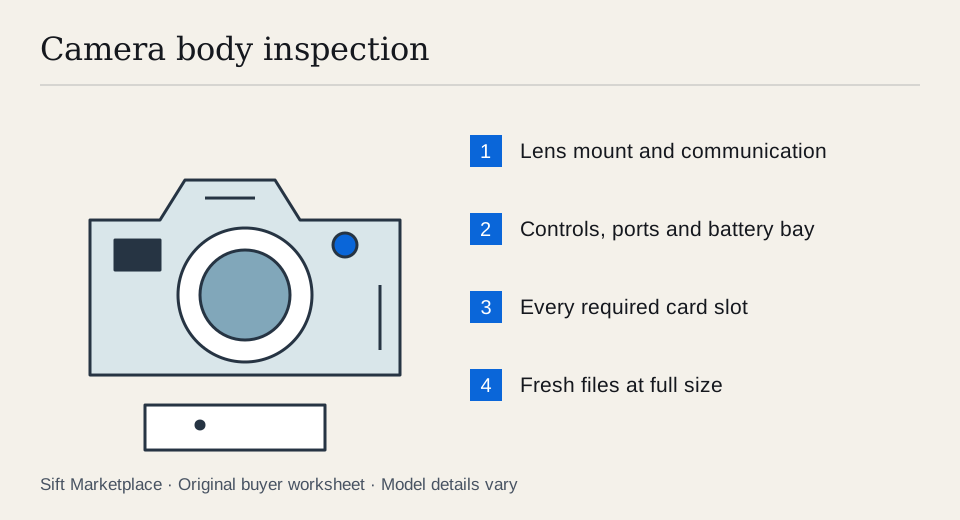
Test the exact camera body with a compatible lens, charged battery and your own supported memory card. Inspect the mount, controls and battery compartment, then make stills and video and review the files at full size. Treat shutter count as one piece of history. It does not reveal every kind of use, prove ownership or guarantee remaining life.
Match the body to your lens and your work
Write down the exact lens mount, memory-card type, battery and charger the camera needs. Include any adapter you will use. A lens physically fitting does not establish that autofocus, aperture control or stabilisation works in the combination. Use the maker’s compatibility information, then test the actual pairing.
Ask for the model label, included accessories, repair history and any known faults before travelling. If you need a feature such as microphone input, clean video output or a particular recording mode, put it on the test list. “Great for video” is not specific enough to resolve those requirements.
A shutter-count screenshot is useful only when you know which camera it describes and how the count was obtained. Some forms of electronic capture or video use will not be represented by a mechanical actuation figure. A replaced shutter may further change how a count relates to the whole body’s history. Do not buy a number while ignoring the camera around it.
Turn “works with my lenses” into a short test plan. For each important lens, record its exact model, adapter if fitted, autofocus mode, aperture control and stabilisation requirement. A portrait lens used on a stationary face and a telephoto used for moving subjects can expose different limits. If a specialist feature is essential, arrange that demonstration; a still photograph of a table cannot verify it.
For a controlled comparison, photograph the same detailed stationary target from the same position. Repeat focus acquisition several times, then review the files rather than selecting only the best frame. If results are inconsistent, change one variable at a time: intended lens, known compatible comparison lens or documented focus setting. This helps decide what needs assessment without pretending a pickup test can diagnose the exact failed part.
 Enlarge diagram
Inspect without exposing delicate parts unnecessarily
Look for impact marks, damaged screw heads, cracked port covers and corrosion in accessible battery or card compartments. Check that the lens mount is secure and the camera can lock a lens in place normally. Do not remove covers, touch sensor surfaces or force a reluctant card slot.
Let the seller demonstrate any sensor inspection or cleaning mode specified by the manual. A mirror, shutter curtain or protective cover may sit in front of the sensor depending on the camera. Looking into the mount without understanding that model can give you the wrong conclusion and risks damage.
Check the battery for swelling or damage and verify the charger is suitable. Third-party accessories need their own compatibility and condition check. A high-capacity claim printed on an unfamiliar battery does not establish useful runtime.
Take photographs that answer separate questions
- Start and operate the controls. Try each dial, directional control, touch function and card door. Change a setting and confirm the camera responds consistently.
- Focus near and far. Use a known compatible lens on clear stationary targets. Try the focus modes you use, while remembering that lens faults or settings can affect results.
- Compare exposure settings. Make frames at a few ordinary shutter speeds and apertures in stable light. Look for errors, irregular bands or frames that fail to record.
- Check a plain surface. Photograph a bright, evenly lit wall at a small aperture without pointing at the sun. Review for repeated spots or marks, and treat cleaning needs separately from confirmed damage.
- Make a short burst. Use a supported card and reasonable settings. Confirm files save, playback works and the camera remains responsive.
- Test video if it matters. Record the actual resolution and frame rate you intend to use. Play back sound, inspect the file and test any external microphone or output you require.
- Review files on a larger screen. Inspect several images at full size. A small rear LCD can hide focus problems or recording defects.
Canon’s maintenance service checklist includes exposure and shutter-speed image tests, card insertion, lens communication, terminals and shutter-count verification. Those manufacturer inspection areas support looking beyond the count. A buyer’s brief demonstration remains less comprehensive than professional servicing.
Check storage and connections one at a time
If you plan to use external lighting, check the body’s flash compatibility before valuing an included unit. The used-camera-flash guide covers the shoe, trigger system, controls and a practical firing test; a flash that mounts physically may still lack the functions you need.
If the camera has two card slots, test both with suitable cards. Confirm the recording arrangement you need, such as separate files or backup recording, in the manual. A second empty slot is not proof that it works.
Test USB transfer or charging only if that model supports it. Some ports carry data but not charging, and some charging arrangements require a specified supply. HDMI output, headphone monitoring and microphone input are also separate tests. Use normal cable insertion without wiggling a socket aggressively.
Check stabilisation with the intended lens if it is important to you, but do not shake a powered-off body and diagnose every internal movement as a fault. Follow the manufacturer’s description of normal handling behaviour for that model.
Compare the same condition and kit contents
Suppose the rear-screen preview looks clean, but your laptop reveals the same line in every newly captured file. That is a capture-path concern, even if the screen itself works. If a mark appears only on the LCD and not in saved files, it is a different fault with a different consequence. If one card slot records correctly and the other errors, decide whether the second slot is essential before negotiating; “one works” does not establish the advertised redundant workflow.
Buy when the required lens, modes, storage and outputs work in the actual combination you need. Negotiate a confirmed missing cap, battery or charger using a compatible replacement quote. Treat repeated errors, uncertain sensor damage and an untested essential video mode as unresolved conditions rather than guessing a cleaning or firmware fix.
| Area | Record |
|---|---|
| Identity | Exact body model and serial matched privately to any paperwork |
| History | Claimed use, repairs and count source |
| Capture | Stills, focus modes, burst and relevant video tested |
| Storage | Each required card slot tested |
| Connections | Actual ports and functions demonstrated |
| Kit | Batteries, charger, body cap, strap and missing essentials |
| Uncertainty | Faults or functions that remain untested |
For an illustrative comparison, a $500 body needing a $70 battery, $40 charger and $90 service assessment already totals $700. A $650 complete body with stronger demonstrated condition may be better value. Those are example inputs, not current model prices or a service quote. Compare sold evidence for the exact model using the fair-price guide.
Ask the seller to remove memory cards and personal wireless settings before handover. Keep ownership paperwork private; a matching serial is useful context but does not guarantee ownership. If the story or identifiers raise an unresolved concern, choose another camera.
Sift, a free Facebook Marketplace filter and scam checker that also works on Kijiji, supports model-focused searches on Chrome on a computer. Use listing filters and recorded prices to find candidates worth testing with your own lens.
Questions people ask
What shutter count is too high for a used camera?
There is no universal cutoff. The model, service history, kind of use and price matter. A published durability rating is not a remaining-life counter for a particular camera; compare actual condition and the cost of service.
Can a sensor dust spot mean the sensor is damaged?
A spot in a stopped-down test image may be dust, but a quick inspection cannot diagnose every mark. Do not touch or wet-clean the sensor during pickup. Ask for professional assessment if a persistent defect affects the price.
Should I format the seller’s memory card to test a camera?
No. Bring your own compatible card containing nothing you need, and get permission before changing camera settings. Preserve the seller’s files and ask them to remove their cards before handover.