Used CD players: disc reading, outputs and intermittent faults
Quick answer
Use known-good supported discs and test loading, start, track access and continued playback, including later tracks. Listen through the required outputs and check remote/setup access. A player reading one disc once is limited evidence; repeated read errors or skipping need isolation and service assessment, not a guessed quick laser fix.
Match the player to the discs and audio system
Write down what you will play: ordinary audio CDs, a particular supported recordable format or files on data discs. Check the exact manual. A device advertised as a CD player may support some formats and not others, and a transport may require an external digital-to-analogue path rather than the analogue connection you expect.
Record the model and needed outputs, remote functions, voltage and supplied accessories. Compare those outputs with your receiver, amplifier or other listening equipment. Do not assign value to an unused digital output simply because it appears more specialised; establish the connection that will work in your system.
The TASCAM CD-200 manual distinguishes audio and data-disc operation and the normal loading and playback controls. Use the exact candidate’s manual for supported media and functions. A model-specific operation sequence is more useful than assuming every tray and display behaves alike.
Choose discs that make the test interpretable
Bring at least one clean, known-good ordinary audio CD and another supported disc relevant to your use. Do not use a scratched disc as the sole test or make a valuable collectible the first disc in an unknown mechanism. Inspect the media before loading so a later mark is not mistaken for an existing defect.
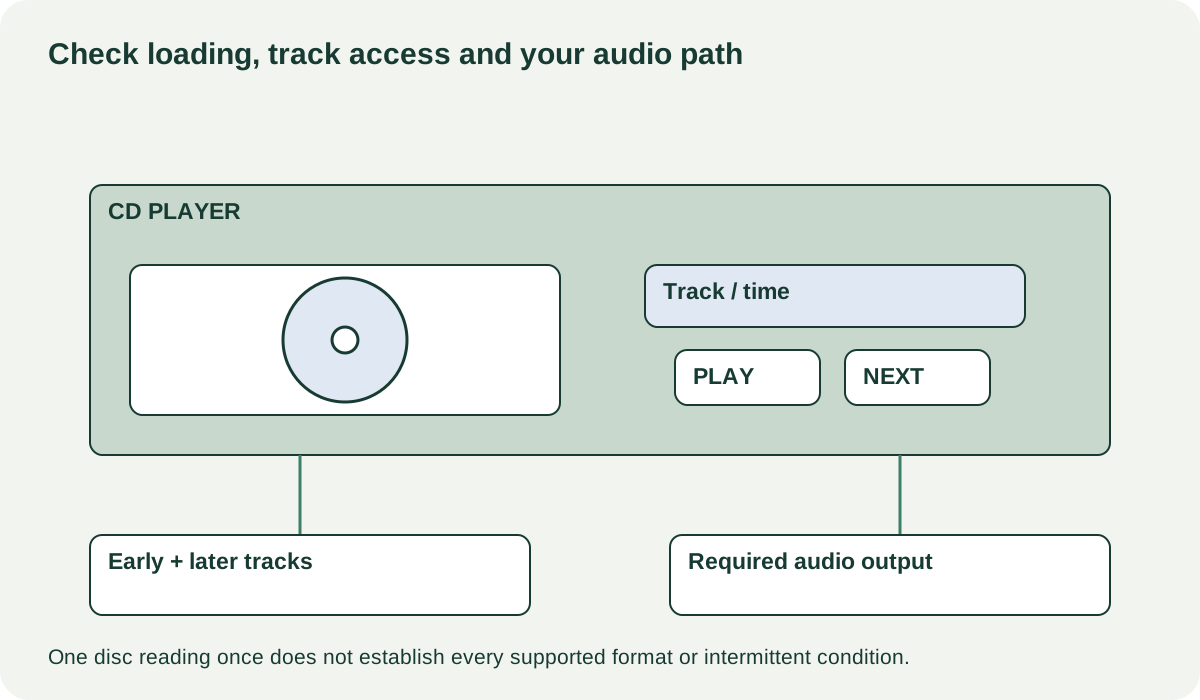
Prepare familiar music and a plan to jump between early and later tracks. A short first-track demonstration may miss access or reading problems elsewhere on the disc. Longer ordinary playback adds evidence, but a meetup cannot guarantee that an intermittent fault will never appear.
 Enlarge diagram
Watch the mechanism before listening
Have the seller open and close the tray using its normal control. Look for repeated hesitation, a tray that requires manual assistance or a disc that fails to settle correctly. Do not push against a motorised tray or open the case. Keep the player level on a stable surface.
Observe how it reads the disc information, begins playback, pauses, resumes and changes tracks. Repeat with the second known-good disc. If one fails, verify that its format is supported before deciding the mechanism is defective. If ordinary supported discs repeatedly fail, record the pattern rather than accepting “they all do that when cold.”
Listen through your intended output at a comfortable level. Check both channels and watch for dropouts, clicking or skips. Try the separate digital or analogue route you are paying for, because one working output does not clear all others. If the player has a headphone output you need, test it separately.
Separate an observation from a repair story
| Finding | What remains to establish |
|---|---|
| One unsupported disc will not read | Whether the format belongs in the documented compatibility list |
| Several known audio CDs fail intermittently | Qualified diagnosis and realistic service availability |
| One output silent, another works | Cable/input isolation and condition of the required output |
| Tray hesitates or needs assistance | Service cause and parts, rather than a guessed belt price |
| Remote absent | Correct replacement and access to required functions |
A seller may attribute skipping to a laser, belt, dirty lens or adjustment. Those are possible service topics, not conclusions established by the symptom alone. Do not turn internal adjustments or cleaning into a pickup experiment. A competent assessment can tell you whether repair is sensible and parts are available.
If a problem disappears after changing a known-good cable or receiver input, record the isolated route and repeat the relevant test. If it remains unresolved, compare it as a faulty or uncertain player. A lower price cannot give back time lost to an unavailable proprietary mechanism.
Compare usable packages and preserve the test result
A hypothetical player costs $65, a verified remote $30 and collection $15: $110. Another complete player costs $100 nearby. The first is not cheaper if both otherwise meet your needs. If it also skips, a remote quote is unrelated to the cost of restoring reliable reading.
Keep the exact discs/formats, outputs and duration used in the test notes, without calling them a full service certification. Buy when supported media, required controls and your audio path work consistently during the agreed demonstration. Negotiate a known missing accessory with a verified replacement; get a diagnosis or pass when disc-reading behaviour remains uncertain.
Remove discs before moving the player and follow any model-specific transport-lock or packing instructions. Confirm that the tested remote, power lead and required cables are included. The useful result is dependable playback through your own system, not simply a drawer that opens and a display that counts seconds.