Used computer RAM: compatibility before capacity
Quick answer
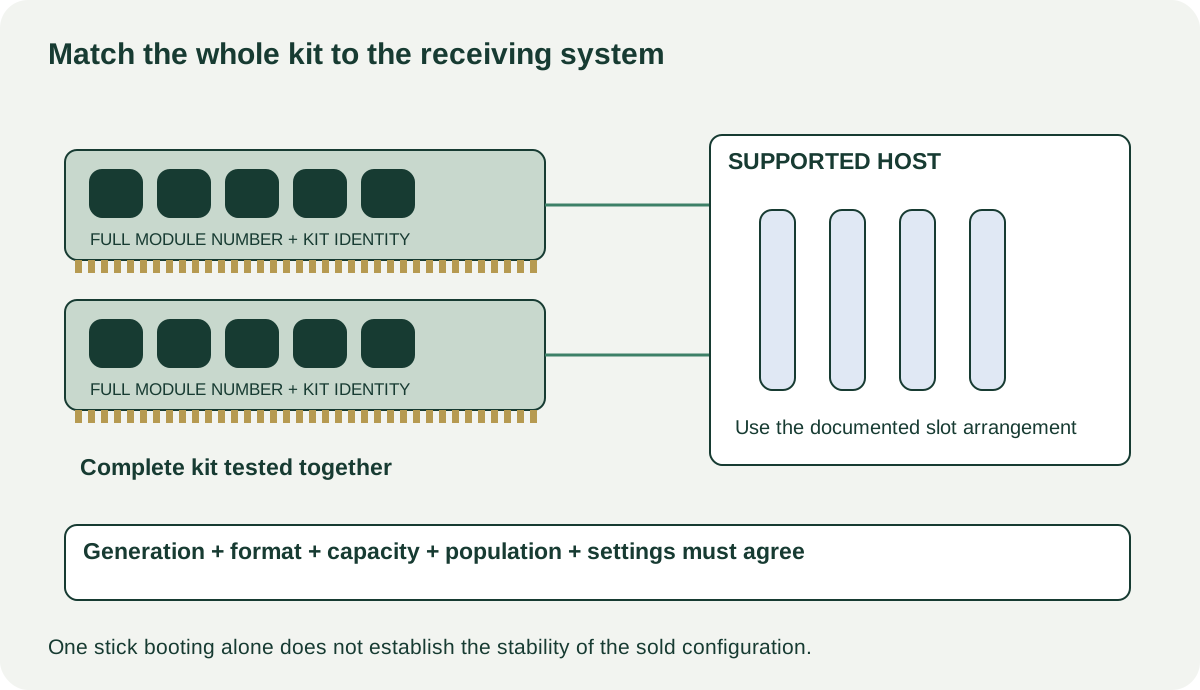
Match the exact RAM part numbers, generation, form factor and kit configuration to your system’s documentation. Ask for evidence from the complete kit at the intended supported settings, not just a successful boot or one tested stick. Mixed modules, unverified profiles and missing host support should remain explicit uncertainties.
Start with the receiving computer
Write down the exact computer or motherboard model, board revision where relevant, processor, installed firmware version and currently occupied memory slots. Find its supported memory specification and population rules. If the laptop has no user-upgradable memory, an inexpensive loose kit is not an upgrade opportunity.
Capacity is only one requirement. The memory generation, module format, supported module capacities and relevant features must match the host. Do not assume a server-labelled module belongs in a consumer desktop or that a smaller-looking module is the right laptop part. Look up the precise module number instead of buying from a photograph of its heat spreader.
ASUS’s support-list instructions show how to find model-specific CPU and memory qualification information. Use the equivalent list for your board and read its configuration details. A tested part number in one number-of-modules arrangement does not automatically establish every larger arrangement. Absence from a list is not by itself a diagnosis, but for a ready-to-use purchase you need a supportable compatibility basis.
Inventory the kit as sold
Ask for clear photographs of every module label and the original kit label if available. Record module count, capacity per stick and the full part number. Two modules with similar branding may have come from separate kits. Ask directly whether the set was purchased together, mixed later, repaired or used with modified voltage or timing settings.
| Item | Record before travelling |
|---|---|
| Host requirement | Generation, format, supported capacity and slot population |
| Sale inventory | Number of sticks and capacity of each |
| Exact identity | Every module number plus kit number if available |
| Settings claimed | Normal supported setting or optional performance profile |
| Evidence | Complete configuration, diagnostic name, result and date |
| Physical fit | Clearance beneath cooler or inside enclosure |
Kingston’s memory support guidance explains that mixing modules and kits can have configuration-dependent consequences, particularly with performance profiles. The buying implication is to value the demonstrated combination, not presume independently bought matching-looking sticks form a jointly tested kit.
 Enlarge diagram
Make the demonstration match the offer
A useful demonstration shows the entire sold kit installed in a compatible machine, the detected total capacity and the actual settings used. Ask the seller to identify the processor and motherboard in the test system. If you need a particular performance profile, establish that it is supported by your own platform before making it part of the purchase condition.
A boot screen proves less than a completed memory diagnostic and ordinary stable use. Request the diagnostic name, configuration, completion status and any errors. A short pickup may not allow an extended test, so arrange evidence in advance or suitable written return terms. Do not call a test clean if it was stopped early or only one stick was installed.
If errors appear, record them without deciding immediately whether RAM, settings, motherboard or another component is responsible. Have the seller resolve the issue and demonstrate the intended arrangement again. Buying the kit as “probably just the settings” transfers an unresolved problem to you. You can choose to accept that for an experimental build, but it is a different purchase from a dependable work upgrade.
Inspect modules powered off and removed by someone who knows the host’s procedure. Look for obvious physical damage, corrosion, missing components or damage to the contacts without touching them. Do not remove heat spreaders to chase a cosmetic inconsistency, and do not ask for powered insertion or hurried swapping. Protect the modules in appropriate antistatic packaging for collection.
Test the cost against an actual supported configuration
Imagine your machine supports the proposed two-module kit but has no spare slots. Adding two more cheap modules is not the same plan as replacing the installed kit. You must decide whether the capacity increase is worth the complete replacement cost and what evidence you need for the new arrangement.
A hypothetical offer is $55 for two separately sourced sticks and $10 collection. A jointly sold compatible kit is $75 nearby. The $10 cash difference after collection may be poor compensation if the first seller can show only one stick at a time. Conversely, a fully demonstrated mixed arrangement might serve a buyer who has checked its support and accepts that configuration. The label alone does not settle either decision.
Also consider clearance. A taller module can be electrically suitable but interfere with an existing cooler. Resolve dimensions from the component manuals before disassembling the computer. If replacing the cooler or platform becomes necessary, you are comparing more than RAM prices.
Pay for the evidence and parts you receive
Before collection, confirm that all modules shown in the test are included and that the seller is not substituting a similar kit. Keep the full part numbers, configuration and result in your purchase record. A receipt or warranty claim should be checked against the maker’s actual transfer terms; original retail price is not a warranty.
Buy when compatibility, complete-kit identity and demonstrated operation align with your intended system. Negotiate a cosmetic or packaging compromise if it matters to you. Pause for unresolved errors, unclear module identity or a promised future firmware fix that has not been verified. For a broader rebuild, compare the motherboard and processor decisions together rather than collecting individually cheap parts that never form a supported machine.
Sources
- 01Kingston desktop and notebook memory support
- 02ASUS CPU and memory support lists