Used continuous studio lights: output, controls and safe support
Quick answer
Identify the exact continuous light, supply, modifier mount and required controls. Inspect the fixture and mounting hardware, run ordinary supported brightness and colour settings, and record a sample under your intended camera settings. A bright-looking beam does not verify colour accuracy or flicker performance. Price the complete stable setup, including correct power and support.
Decide what the light must illuminate
Write down the subject, working distance, room, power source and intended camera settings. A small product table, talking-head video and large soft-lit scene require different arrangements. Decide whether you need fixed daylight, adjustable colour temperature, full colour, quiet operation or particular remote-control features.
Get the exact fixture and revision from its label. Continuous lights differ from flashes, and similar product names may offer different colour or control capabilities. Check published output conditions: distance, reflector or modifier, colour setting and measurement units. Do not compare two numbers quoted under different setups as if they measure the same useful light.
Aputure’s colour-metrics explanation describes why colour quality involves more than a chosen temperature number. A casual visual check or a camera’s auto white balance cannot certify those metrics. For colour-critical work, use appropriate measurement or choose equipment with sufficient verified evidence for that job.
Inventory a complete supported fixture
| Component | Detail to confirm |
|---|---|
| Light body | Exact output/colour type and required controls |
| Power supply | Correct model, voltage and supported cable arrangement |
| Modifier | Exact mount, weight and compatibility |
| Yoke or tilt bracket | Secure movement and holding ability |
| Stand/support | Suitable load, attachment and stable setup |
| Remote/app | Current supported access and required functions |
amaran’s model support hub separates specifications, power and safety information. Its setup guide describes the relevant cover, reflector and mounting procedure. Use the matching documentation for the actual fixture; a similar-looking supply or modifier is not automatically compatible.
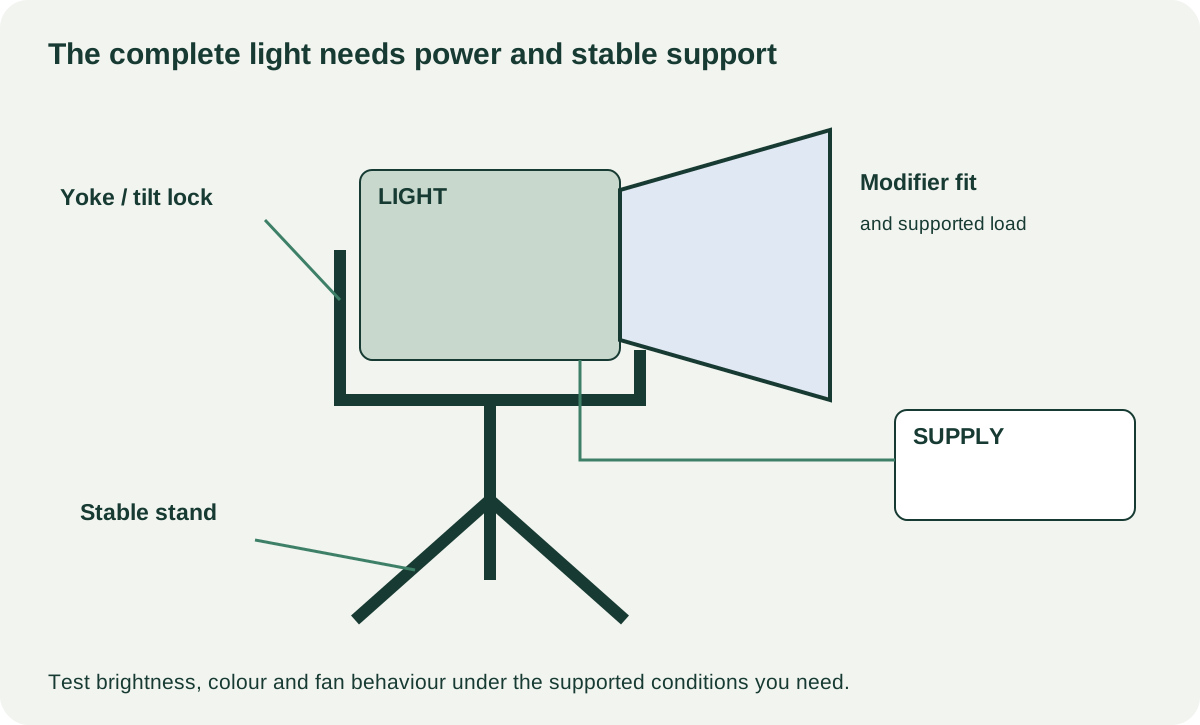 Enlarge diagram
Inspect before switching on
Check the cord, power connector, supply case, fixture body, vents and mount for damage. Look for cracked brackets, loose locking parts, heat marks and signs of impact. Stop if there is exposed wiring, an unsafe repair or a damaged mains connection. Do not open the electronics enclosure or probe it with improvised tools.
Have the seller mount the light on a stable suitable support with the correct attachment. Keep cables routed without pulling the fixture or creating a trip hazard. Remove protective covers only as instructed before operation, and never stare into a bright emitter. Do not demonstrate overhead rigging or a heavy modifier on an unsuitable stand to save time.
Check tilt and locking controls while supporting the fixture. The mount should hold the intended normal position without relying on excessive force. A bright functioning light with a slipping yoke is not a safe complete setup. Price a verified replacement or seek service before using it that way.
Run ordinary settings and record a sample
Begin at a modest brightness. Adjust output across the range you expect to use and observe the response. For a variable-colour model, test required colour settings and return to the starting point. Try buttons, encoders, display and the supported remote or app where those features matter.
Leave it operating under normal supported conditions long enough to observe warm behaviour while checking other functions. Listen for fan noise if you will record dialogue nearby. A quiet demonstration at low output does not establish acceptable noise at the output your scene needs. Do not block vents or exceed the manual’s operating limits to provoke a fault.
Record a short original scene with your intended frame rate, shutter setting and brightness levels where practical. Review for visible banding, instability or colour shifts. That test is evidence for the specific combination; it is not a universal flicker-free certification across all settings and cameras. If the result is unsuitable, resolve the configuration or choose another light.
A phone photo that looks bright is not a calibrated output measurement. If the asking price depends on precise output or colour claims beyond the maker’s specification, ask how they were measured and whether the evidence applies to this used fixture. Do not invent a percentage of original output from visual impressions.
Evaluate remote access and missing parts
For app-controlled models, verify current compatibility and the ordinary buyer pairing or reset process. Basic physical controls may work while a required remote feature is unavailable. Have the owner remove relevant associations with consent and preserve any stored settings they need before a reset.
Check the delivered cost of the exact supply, reflector, bracket and transport protection. A bargain fixture without its proprietary power brick may be impossible to demonstrate and expensive to complete. Generic adapters should not be used to test an unknown electrical fit.
Compare complete lighting setups
A hypothetical fixture is $130, with $60 for the correct supply, $45 for suitable support and $35 for the required modifier: $270 before collection. A $240 complete candidate may offer better value if its output, noise and mounting checks meet the same job. These figures are examples, not current prices or a service estimate.
Negotiate known missing compatible accessories or cosmetic wear. Seek assessment for repeated shutdowns, unstable output, damaged wiring or a mount that cannot hold. Do not turn an unidentified electrical fault into a small repair allowance.
Let the unit cool and pack it according to its manual, protecting the emitter and connectors. Keep the power supply and tested accessories with the sale. The useful purchase is a light you can position, power and record with at the required settings, not just a fixture that turns on brightly.