Used mechanical keyboards: layout, switches and every key
Quick answer
Identify the exact layout and switch/board variant, then test every key, required layer and connection mode. Inspect the cable socket, case and visible condition, ask about spills and modifications, and confirm any receiver or replacement switches fit this version. One successful typed sentence does not test the whole keyboard.
Decide whether the layout fits your work
Before comparing case material or switch sound, identify the keys you use every day. A compact board may place arrows, function keys or navigation controls on layers. That can be acceptable when you know the shortcuts and frustrating when you need a dedicated key during work. Check the physical layout, language legends and operating-system mode separately.
Ask for the exact model and revision, switch type and any changes made by the owner. A product family can include soldered, hot-swappable, optical or other variants. Keychron’s K12 documentation, for example, distinguishes switch systems within one named family and specifies different compatibility. Do not turn “hot swap” into a promise that any replacement switch will work.
If the board is custom-built, ask for the case, PCB, plate, switch and firmware identities where available. The useful question is how you will maintain and configure it after the sale. An impressive list of modifications has little value if the seller cannot explain which parts were changed or how the current layout is restored.
Test keys systematically, then type normally
Use a blank document and a trusted keyboard-test facility suitable for the device. Keychron’s V3 Max guide links its model-specific instructions and keyboard-testing resources. Use the equivalent official route for the actual board; not every keyboard supports the same configuration software.
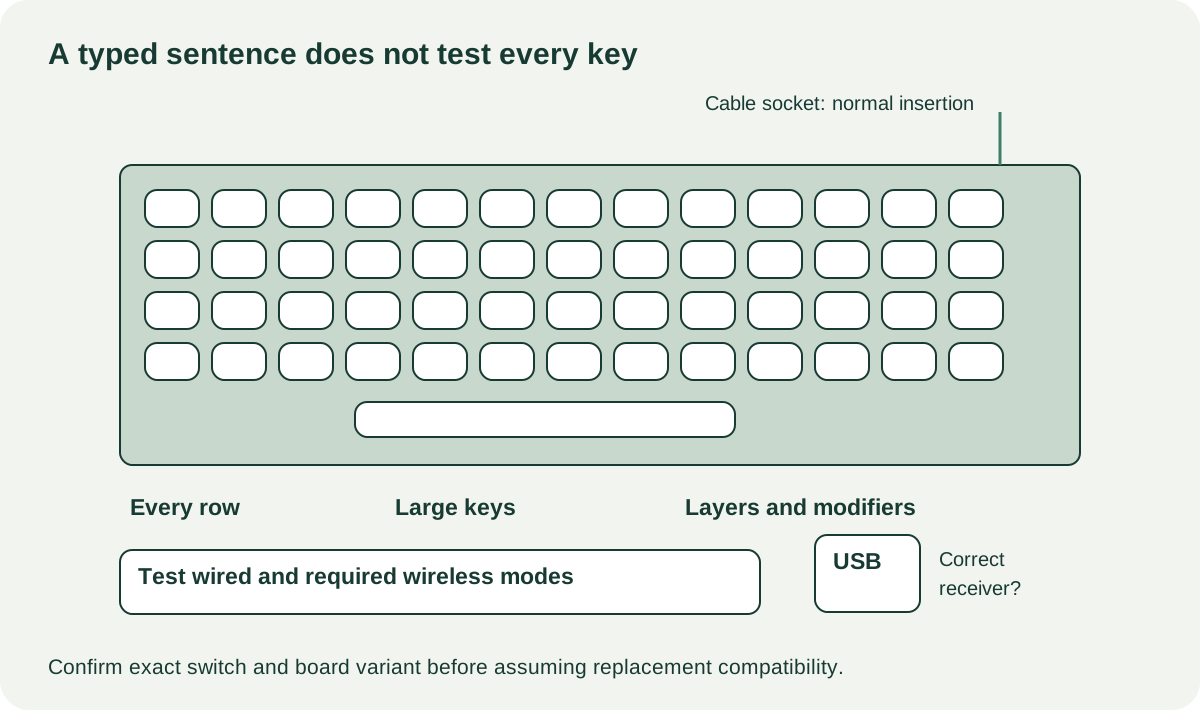
Work across each row, then check modifiers, navigation keys, the number pad if fitted, media controls and any encoder. Press each key normally several times. Watch for missed characters, repeated characters from one press or a key that registers only when hit unusually hard. Test combinations you depend on, rather than treating a row of lights as proof of complete input support.
Next, type a familiar paragraph at your normal speed. Large stabilised keys can feel different from the letter keys; check space, enter, shift and backspace deliberately. Rattle may be a preference or maintenance issue, while failure to register is a functional problem. Do not diagnose a failed key as a cheap switch unless the actual board and fault have been established.
 Enlarge diagram
Test every connection you are paying for
A wired demonstration does not establish Bluetooth or receiver-based operation. Pair with your intended host using the manufacturer’s ordinary procedure and test input, disconnect/reconnect and normal sleep/wake. If the board includes a proprietary wireless receiver, confirm it belongs to this model and is included in the sale. A generic-looking USB dongle may not be interchangeable.
Check the required OS mode and any programmed layers. If the seller has remapped keys, have them demonstrate the mapping and supported reset route before you decide a printed key is faulty. Do not reset firmware without the owner’s agreement or assume a custom map will remain accessible after an account handover.
For a rechargeable board, observe charging and short unplugged operation separately. That confirms those actions at the visit; it does not establish the advertised new-product runtime. Battery swelling, case distortion or a damaged charging port is a reason to stop ordinary use and obtain appropriate service, not to test harder.
Inspect the condition you can actually see
Look around the case seams, cable socket and accessible key areas for sticky residue, corrosion, damaged caps and signs of liquid exposure. Ask about spills, cleaning, soldering, switch replacement and lubricant use. A clean outer case cannot rule out internal contamination. Remove keycaps only with permission and the correct method; do not pull switches from a board whose hot-swap status is uncertain.
Check feet and case fasteners. A missing ordinary foot may be an inexpensive comfort issue if a replacement exists; a loose socket or cracked mounting area is a different repair. Avoid opening the battery compartment or PCB assembly just to investigate an unexplained intermittent fault at pickup.
| Observation | Buying implication |
|---|---|
| Worn legends, all required keys function | Decide whether a compatible replacement cap set is worth its cost |
| One key repeats or misses | Have the fault resolved or obtain a diagnosis; do not assume the switch alone |
| Receiver absent | Verify exact replacement availability and pairing support |
| Layout works only through unknown remapping | Establish a supported configuration/reset route first |
| Liquid history plus intermittent keys | Treat condition as unresolved, not merely dirty |
Compare the usable board, not the modification bill
A hypothetical $60 board needs a $35 compatible cap set and $15 collection: $110. A complete working board at $100 nearby may be cheaper for your purposes. The first seller’s spending on specialty switches or case foam is not automatically value you will recover, especially if you dislike the feel.
If you buy a modified board, record the included original parts and spare switches. Those can be useful for maintenance only when they fit the actual version. Ask whether all keys and required modes were tested, and keep any unresolved input in the listing comparison notes.
Choose the board that fits your layout and connection needs with demonstrated ordinary input. Negotiate bounded cosmetic or accessory costs. Pass on unexplained failures when your goal is a reliable work keyboard. The everyday typing test should have more influence than a short sound recording made with an unknown microphone and room.
Sources
- 01Keychron K12 variants and switch compatibility
- 02Keychron V3 Max user guide and testing resources