Used SSDs and hard drives: identity, evidence and safe reuse
Quick answer
Match the actual drive model, capacity, form factor and interface to your computer or enclosure. Review supported diagnostics and relevant counters, then separate non-destructive observation from any owner-authorised erasure or capacity test. A healthy status cannot guarantee remaining life; include replacement risk and an independent backup in the decision.
Identify the drive, not just the box around it
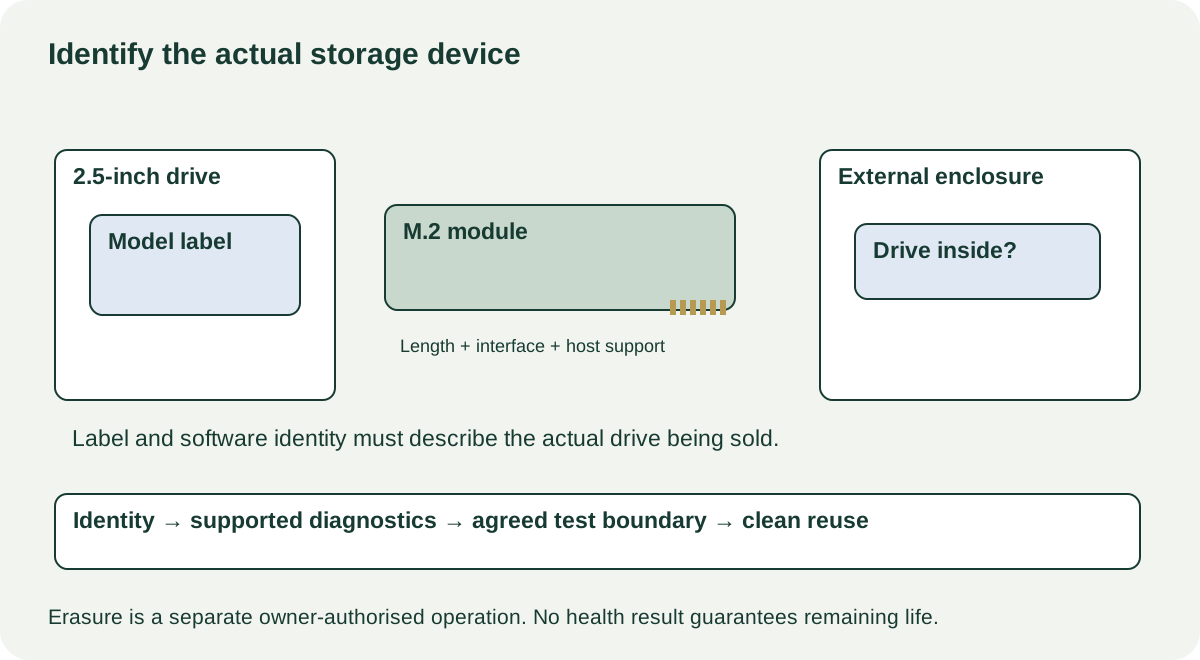
“1 TB SSD” is not a complete specification. Record the manufacturer model, stated capacity, form factor, connection interface and any enclosure or adapter included. A seller may advertise an external case using the case’s name while the drive inside has changed. Ask whether the enclosure is original, whether it can be opened by the user under its normal instructions, and how the internal drive is identified in software.
Check your intended host’s service manual or compatibility list before buying. Physical length, connector and supported storage protocol must all line up. An M.2-shaped module is not a universal replacement for every M.2 slot; the relevant question is which drive type that particular slot supports. A desktop drive also needs the right power, data connection and mounting arrangement. Do not force a module into a socket or remove labels to investigate it.
Compare the physical label with the identity reported by a supported utility. Record inconsistencies for the seller to resolve. A photograph of a large capacity in an operating system is not proof that every claimed byte can be stored and retrieved. Equally, differences in decimal and binary capacity display are not by themselves proof of a fake. Resolve the model’s documented capacity and the software’s units before drawing conclusions.
Ask for evidence that belongs to this drive
Before pickup, request the exact diagnostic utility, test name, result and date, with drive identity visible and private file information hidden. Ask why the drive was removed, whether it has had read or write errors, and whether it was used in an external enclosure or storage array. Treat use history as the seller’s statement, not an independently verified fact.
A current live identity check is useful when the seller has several matching drives. Link each screenshot or report to the particular drive being sold. A successful test of one member of a bundle does not establish the condition of the others. A failed or incomplete test should remain in the record even if a later short test passes.
 Enlarge diagram
Interpret diagnostics without turning them into a lifespan promise
Seagate’s SeaTools documentation separates basic tests from operations that can change or erase data. The exact utility version, connection and drive support affect what is available. Choose a documented non-destructive test with the owner’s permission; do not click repair, erase or advanced functions to see whether a warning disappears.
For an SSD, note reported usage or endurance counters and critical warnings where supported. For a hard drive, note the manufacturer’s health interpretation and reported errors alongside completed test results. Avoid applying a raw-number threshold copied from a different model. Missing counters may reflect the adapter or utility’s support rather than a healthy or faulty drive.
Samsung’s Magician guidance makes feature availability dependent on the connected drive; branded retail models, OEM models and other makers’ products are not interchangeable for every feature. The practical implication is to use the correct diagnostic documentation rather than treating “not available” as a pass.
A hypothetical SSD report might show 80 TB written against a manufacturer endurance specification of 300 TBW. That does not mean it has exactly 220 TB or a predictable number of years remaining. Warranty/endurance specifications and failure prediction are different questions. You can use the record to compare disclosed usage, but you cannot convert it into guaranteed service life.
Keep the test boundary explicit
| Proposed action | What it can establish | Permission and limitation |
|---|---|---|
| Read model and supported health information | Identity and reported condition | Owner agrees; do not browse personal files |
| Run documented read-only diagnostic | Result of that test at that time | Owner agrees; confirm test is non-destructive |
| Copy an agreed expendable sample | Basic transfer through this connection | Use only a prepared test location; not proof of full capacity |
| Write and verify across capacity | More substantial evidence of usable capacity | Can overwrite data; separate owner-authorised process required |
| Secure erase or sanitise | A supported data-removal operation | Owner selects correct device and process; not a health test |
Long tests may take far longer than a meetup. Arrange evidence in advance or an inspection period with clear written terms. Do not abbreviate a test and describe it as completed. A drive that disconnects during a transfer needs investigation across the cable, enclosure, power and drive; the failure is real even when its cause is not yet known.
Listen to a hard drive only during normal supported operation. Do not shake it, strike it or use repeated power cycling as a diagnostic trick. Keep loose electronics on appropriate protective packaging and follow handling instructions. The goal is to observe condition, not create a fault while testing.
Agree data removal before money changes hands
The seller should back up what they need and use an appropriate supported erasure process. Do not inspect leftover files to determine whether the device “has been used.” If personal material appears, stop opening it and return the data-removal task to the owner. A changed folder name or quick format is not a universal assurance of sanitisation.
For a password-protected or otherwise locked drive, have the authorised owner resolve access using the manufacturer’s procedure. Do not buy it as usable storage on an unlocking promise. If the seller keeps the drive and sells only the enclosure, revise the inventory and price accordingly.
After the handover, initialise and configure the drive for your own supported environment. Keep an independent backup of data that matters. A used drive can be useful for replaceable working files or a deliberately redundant workflow, but “it passed” is not a reason to make it the sole copy of irreplaceable information.
Decide whether the saving survives the complete purchase
Consider two hypothetical external-drive offers. A costs $45, but needs a $25 compatible enclosure and $10 collection, totalling $80. B costs $90 complete with documented identity and a demonstrated connection. A may still be attractive if its drive evidence is comparable and the enclosure is definitely compatible. If A is untested, the $10 difference does not buy the same evidence.
For a bundle, list every drive separately in your notes and assign no ready-to-use premium to an untested or warning-bearing unit. Known missing cables or mounting hardware can support a bounded negotiation. Unresolved capacity, identity, lock or error concerns should move the purchase into a consciously accepted parts/experimental category, or off your shortlist.
Use the cost calculator for actual accessory and collection costs. Keep uncertain remaining life in the decision itself; the calculator cannot price it away. For NAS use, return to the enclosure guide and check each drive against the exact supported storage plan.
Sources
- 01Seagate SeaTools tests and erasure
- 02Samsung Magician feature support