How to inspect a used 3D printer with a real print
Quick answer
For a used filament 3D printer, identify the exact model and modifications, inspect wiring and motion components, then watch a fresh print from a cold start. Check the first layer and a completed small part, not only old samples. Confirm parts, software and support are available. Treat unresolved heater errors, damaged wiring or unknown safety modifications as reasons to pass.
Decide whether you want a tool or a repair project
This guide concerns filament printers. A resin printer involves a different process and additional chemical-handling equipment; the same checklist will not cover it.
For a first filament machine, write down the materials and approximate part size you need, the available workspace and how much maintenance you want to learn. Check the manufacturer’s guidance for ventilation, operating environment and supported materials. An enclosure alone does not establish that any material is appropriate for your room.
Ask for the full model, revision, firmware version and a list of modifications. Request pictures of the actual printer and a recent part, then arrange to see a new print. Identify replacement nozzles, build surfaces and common service parts through the maker’s documentation before buying an obscure machine on price alone.
 Enlarge diagram
Inspect the cold machine before a heater runs
Look at cables near the moving toolhead and heated bed for damaged insulation, strained connectors and improvised joins. Check that protective covers are fitted and power connections have not been modified casually. Do not open the power supply or controller enclosure during a buying inspection.
Inspect the frame, rods or rails, belts, rollers and build surface. Look for bent parts, deep plate gouges, seized motion and material accumulated around the hotend. Cosmetic filament residue differs from a large hardened leak surrounding wiring and sensors.
Ask what was changed and why. A different hotend, controller, probe or power supply may require firmware and settings that match it. The seller should be able to identify the parts and demonstrate stable operation. A collection of unexplained upgrades can increase the support burden rather than the value.
Use the printer’s checks, then print something new
Prusa’s self-test documentation says its checks cover assembly, wiring and electronic components. Its calibration reference treats first-layer calibration separately. The buying lesson is to use both types of evidence where the model supports them: a passing diagnostic does not replace a print.
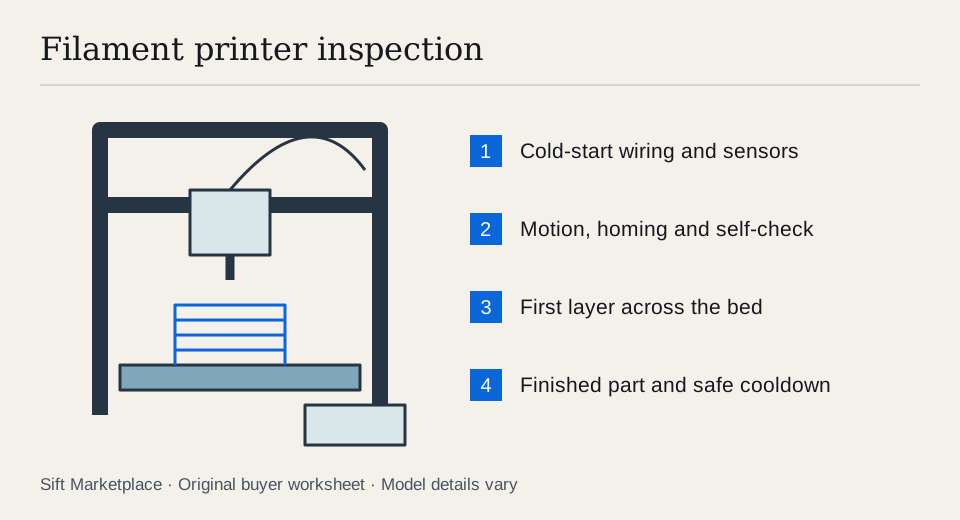
- Start from room temperature. Ask the seller to power on normally. Check reported temperatures are plausible before heating, and note any stored or active errors.
- Run the appropriate self-check. Have the seller use the manufacturer’s procedure for that model. Do not skip a failed heater, fan or sensor check just to reach the print screen.
- Home and prepare the bed normally. Observe the axes and probing if fitted. Stop if the nozzle crashes, the bed moves unexpectedly or the printer makes severe mechanical noise.
- Load a suitable known material. Use the maker’s normal process and a matching profile. Unknown wet filament can complicate interpretation, so agree on the test material in advance.
- Watch the first layer. Look across more than one small central spot. Check for gaps, dragging, poor adhesion and a nozzle scraping the surface.
- Complete a small part. Choose a modest test with straight walls, corners and a top surface. Observe repeated movement and extrusion long enough to reveal obvious shifts or stoppages.
- Let it cool and inspect. Remove the part as instructed, then compare its layers, walls and dimensions with the intended file. Do not grab a hot nozzle or force a still-bonded part off the bed.
This is an acceptance demonstration, not a certification of long-term reliability. Keep the machine attended throughout and do not disable thermal protection, end stops or other safeguards to finish the test.
Choose the demonstration part for the questions you need answered. A small first-layer pattern can show how extrusion behaves at several bed positions. A modest part with vertical walls and a hole adds evidence about layer consistency and ordinary geometry. Use a file sliced for the exact printer, nozzle and material; do not send unknown machine instructions just because the model looks similar.
Record material, nozzle size, slicer/profile, fresh start and the result. If a corner lifts, allow the seller to make the documented preparation or calibration correction and repeat that area. If the same fault returns, keep it in the decision. One attractive loose sample beside the printer does not cancel a failed fresh print.
Suppose a printer passes its electronic self-check but only the centre of a broad first layer adheres. That is a narrower result than “fully working”: the heater and motion checks passed, while bed-wide printing remains unresolved. Conversely, an unsuccessful print using unsuitable old filament does not identify the printer’s failed component. Repeat with a sensible known material before assigning blame or a repair price.
Read faults without promising an easy fix
| Observation | What to establish before buying |
|---|---|
| First layer fails in one area | Bed condition, calibration and repeatable performance |
| Extruder repeatedly clicks | Material path, profile and whether a normal print succeeds |
| Layers shift sideways | Motion system and a repeat test after proper correction |
| Heater or sensor error | Manufacturer-guided repair; do not bypass the fault |
| Loose or modified wiring | Qualified assessment before operation |
| Printer works only with an unexplained file | Supported slicer/profile and repeatable normal workflow |
Do not negotiate as though every failure is a cheap nozzle. Ask the seller to resolve a claimed simple adjustment and demonstrate the result. If you deliberately want a project, set a budget that includes unidentified faults, your time and the possibility that a part is no longer available.
Check the software and accessory handover
Confirm the supported slicer and ordinary workflow on a computer you can use. For networked models, ask the seller to remove their account or device association using the manufacturer’s procedure, then verify the setup route. Do not accept their credentials as part of the sale.
Ask for a modifications list in plain terms: which hotend, board, firmware, probe, build surface and material system are fitted, and where the matching documentation lives. Compare the installed parts with that record. A well-documented upgrade can be useful; an unknown board or unexplained wiring change can make the original manual insufficient for setup and servicing. If ordinary operation depends on a custom profile, obtain the profile with the seller’s consent and check that you can reproduce the workflow without their account.
Inventory the build plates, spool holder, material system if fitted, power cable and tools. Test a bundled multi-material feeder separately if it contributes much to the asking price. A spare hotend is useful only if you know which model it fits and whether it is functional.
An illustrative $180 printer with a $45 plate, $35 nozzle assembly and $30 transport totals $290 before troubleshooting. A complete $275 machine that demonstrates the required print may be the simpler purchase. These are sample inputs, not market prices. Use actual quotes in the cost calculator.
Collect it without losing its setup
Let the printer cool fully. Follow the maker’s transport guidance for securing the bed and toolhead, and remove loose accessories. Record the model and relevant settings with permission, keeping the seller’s account and network information private. Expect to repeat the manufacturer’s setup checks after transport rather than assuming calibration can never change.
Sift, a free Facebook Marketplace filter and scam checker that also works on Kijiji, helps focus searches on Chrome on a computer. Use model-specific listing words and recorded prices to find candidates worth watching from the first layer to the finished part.
Questions people ask
Is a completed sample enough to prove a used 3D printer works?
No. It may have been printed earlier or on another machine. Ask to watch the actual printer home, heat and produce a fresh part, including its first layer and normal shutdown.
Does passing a self-test prove print quality?
No. Prusa describes its self-test as checking assembly, wiring and electronic components. A fresh first layer and completed print answer additional questions about calibration, extrusion and motion.
Does this checklist cover resin printers?
No. It focuses on filament printers. Resin machines require separate checks for the vat, release film, screen, curing and washing equipment, chemical handling and ventilation. Do not treat a resin bundle as the same purchase.
Sources
- 01Prusa Research MK3.5/S self-test
- 02Prusa Research Calibration reference