Used audio mixers: channels, buses and the recording path
Quick answer
Define the inputs, monitor sends and recording outputs you need. Run one known-good source through each required channel, then demonstrate the intended main, auxiliary and USB paths separately. Count usable microphone inputs and actual recording channels rather than relying on the mixer’s headline channel number. Include the exact supply, cables and any required software support.
Count jobs before counting channels
Write the sources you need to connect at the same time: microphones, stereo keyboards, playback devices or other line-level equipment. Then list destinations: main speakers, performer monitors, headphones and computer recording. A small mixer can handle a useful live setup without providing a separate computer recording track for every input.
Record the exact model and variant. A USB version and a similarly named analogue version may serve different jobs. Read the manual’s signal diagram, input specifications and USB channel description. A stereo input labelled with two channel numbers is not necessarily two independent microphone inputs.
The Yamaha MG10XU/MG10X/MG10 manual distinguishes model-specific controls and routing. Use it as an example of why the suffix matters, not as instructions for every mixer. Check current driver and software support for the exact model and your computer if USB is required.
Make a route sheet
| Source | Input needed | Required destination | Demonstrated? |
|---|---|---|---|
| Vocal microphone | Compatible mic input and documented power | Main mix plus monitor send | Record result |
| Stereo keyboard | Suitable left/right line inputs | Main mix | Record both sides |
| Playback source | Supported stereo input | Main mix without unwanted feedback loop | Record route |
| Computer recording | Documented USB or analogue output | Actual selected software channels | Record saved-file result |
Separate required and optional functions. If you need an independent monitor mix, establish how the send behaves and whether it is available from the channels you use. If you need separate multitrack recording, confirm that explicitly; a USB socket alone does not answer it. If all you need is a stereo rehearsal capture, a simpler supported route may be enough.
 Enlarge diagram
Inspect the mixer and its supply
Check the exact external supply or mains requirements against the label and manual. Proprietary mixer supplies can be expensive or difficult to replace. Do not substitute an adapter because its plug fits, and stop if there is damaged insulation, a burning smell or improvised electrical work.
Look for spill residue, corrosion around sockets, bent connectors, broken fader caps and controls that lean or bind. Ask about service history and intermittent channels. Missing knobs can be a small accessory issue; damaged shafts or boards beneath them are not automatically the same repair.
Do not spray cleaner into controls during pickup or open the case. A seller who says a crackling fader only needs cleaning should either resolve it appropriately and demonstrate the result or allow you to price a professional assessment. Cosmetic dust and an unexplained signal fault should remain separate findings.
Use one known source to compare the strips
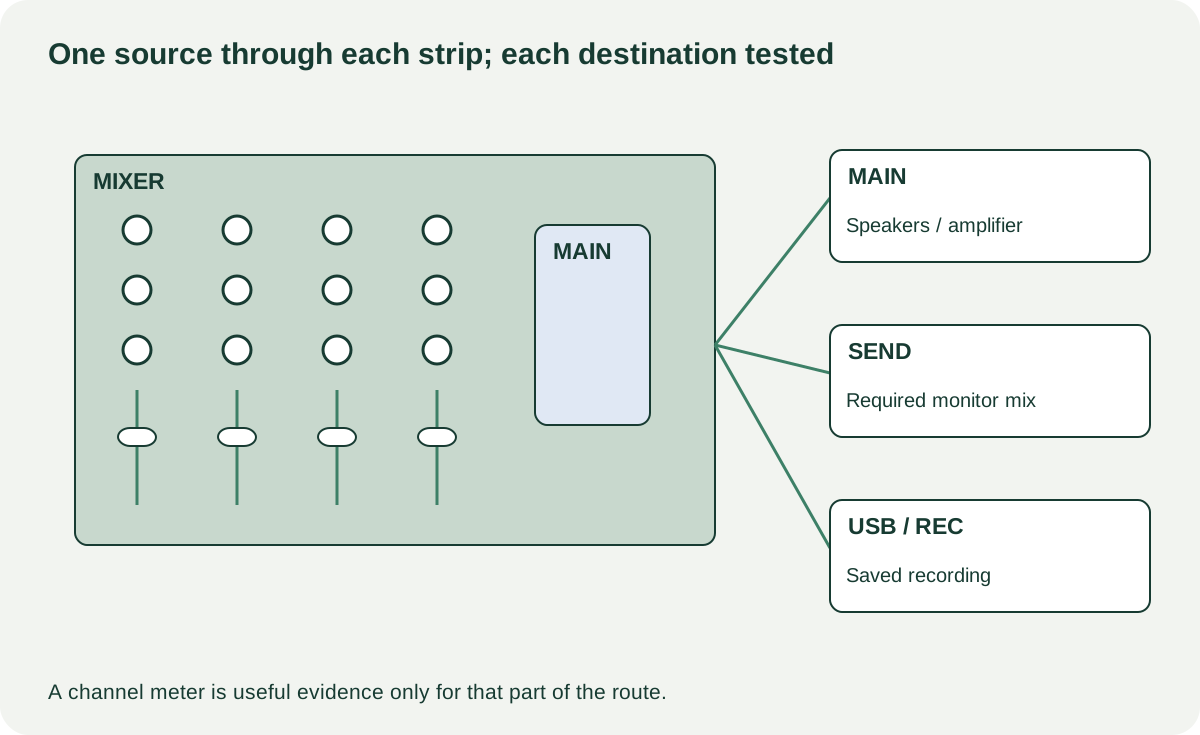
Start with output levels down and a known-good source, cable and monitoring chain. Configure an ordinary signal path with processing and effects in a documented neutral state where possible. Move the same source through each required input, preserving comparable settings. This makes a dead or intermittent strip easier to distinguish from a changing source.
Check gain, level, pan or balance, mute, solo and equalisation controls you will use. Move them normally and listen for unexpected interruption rather than forcing end stops. Test both sides of stereo channels. Use phantom power only with equipment and cabling that support the documented arrangement; do not assume it is independently switched on every channel.
Then test main outputs, headphone monitoring and each needed send or return. An input appearing on a meter does not prove that the desired output works. Keep the volume comfortable and avoid creating a feedback loop while connecting microphones or computer returns.
For recording, capture a short original sample through the intended computer or recorder route. Reopen it and confirm channel allocation and audio. Live sound from the main speakers is not evidence of a working USB recording path. If the mixer has digital scenes, networking or account-related features, verify the supported reset and buyer setup separately without overwriting the seller’s stored work without permission.
Interpret a failed route before negotiating
A silent channel may be muted, routed elsewhere or defective. A distorted mix may reflect clipping upstream, downstream or in the mixer. Ask the seller to establish the intended normal configuration and repeat the test. If the problem remains, record the failed route without guessing the cheapest internal component.
A hypothetical mixer A costs $120 but needs its correct $65 supply and $20 collection: $205. Mixer B costs $190 complete and demonstrates every required route. A is not cheaper under those assumptions. If A also has a crackling main fader, a supply quote does not account for its repair.
Buy a mixer whose demonstrated route sheet meets the actual job. Negotiate a known missing cap or verified accessory if the total still makes sense. Treat unresolved audio faults and an unsupported recording requirement as reasons to get service evidence or choose another candidate. Keep the route sheet with the listing comparison so “more channels” does not obscure fewer usable connections.