Used camera gimbals: balance, controls and the complete kit
Quick answer
Check the exact camera/lens combination against the gimbal’s physical and control compatibility. Inventory plates, risers, cables, battery and support feet, then have the seller balance and operate the assembled kit according to its manual. Payload alone does not prove clearance, balance or camera-control support. Review a newly recorded clip and price missing proprietary parts.
Write the camera configuration in full
Record the camera body, lens, battery, cage, microphone, filter and other items that will move on the gimbal. Their shape and placement matter alongside total weight. A camera may be below a published payload yet unable to balance in the required position or clear an arm with the intended lens.
Check the exact gimbal revision and its manufacturer’s compatibility information. DJI’s RS 4 support page directs users to camera compatibility and control resources. Separate mechanical mounting from electronic features such as record start/stop or focus control. A body appearing on a list does not mean every lens, cable or optional function is included.
Ask the seller which quick-release plates, risers, lens supports, control cables, battery grip, charger and small stand are included. A partial kit can be difficult to price without the exact part identities. Do not assume another brand’s similarly shaped plate will lock securely.
Make a complete-kit inventory
| Part | What it must do |
|---|---|
| Gimbal body | Correct axes, locks and controls for intended use |
| Camera attachment | Exact plate, screw, riser or lens support required |
| Camera/lens | Fit, balance and clear the arms in intended positions |
| Control cable | Support the particular body and desired function |
| Power | Correct battery/grip and supported charging arrangement |
| Setup access | Supported app/firmware route under your control |
 Enlarge diagram
Inspect it powered off before operating the motors
Look for impact damage, distorted arms, loose mounting areas, damaged locks and strained sockets. Ask about drops, repairs and motor warnings. Move only parts the manual permits with the relevant locks released; do not force an axis or use a lock as a lever.
Check battery or grip attachment and visible condition. Swelling, damaged contacts or abnormal fit should stop ordinary testing. Do not open packs or use improvised charging adapters. A charging indication and a short powered demonstration do not establish full remaining runtime.
Inspect the plates and camera screw for wear or stripped threads. A missing stop or catch may affect safe handling, not just convenience. Have the seller explain the intended mounting order and keep the camera supported throughout attachment.
Balance the actual combination before judging stabilisation
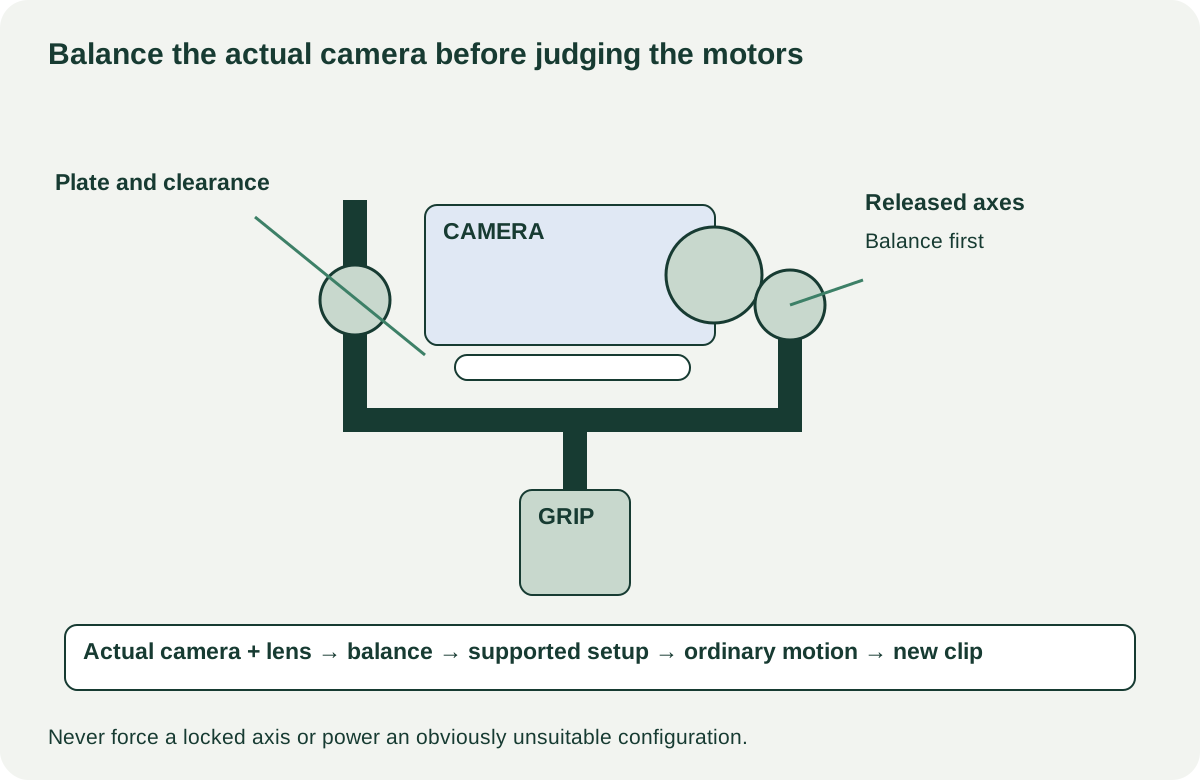
DJI’s RS 4 mounting and balancing guide illustrates a model-specific setup process. Use the corresponding manual for the candidate. Have an experienced operator balance the actual camera arrangement and perform the documented calibration or motor setup where required.
Do not judge a gimbal that is deliberately powered with an obviously unbalanced or locked payload. Equally, do not accept persistent shaking or a motor warning as normal simply because the seller says balancing will fix it later. Have the setup corrected appropriately and repeat the same ordinary movement.
Check required modes, joystick, trigger, screen and any camera-control button. Record start/stop through a cable is a separate check from basic stabilisation. If focus control is part of the price, establish the required motor, gear, cable and compatible lens arrangement rather than paying for a feature not present in the kit.
Record a short usable movement and review it
Have the operator make ordinary slow pans, tilts and a short controlled walking shot in a clear safe area. Review the newly recorded clip on a useful screen. Look for repeated unwanted movement, interruptions or controls that fail under normal operation. Do not demand extreme moves or use valuable equipment in an unsafe test.
A smooth short clip proves that arrangement worked during the demonstration. It does not certify every payload, full battery endurance or long-term motor condition. If vibration remains, the cause could involve balance, settings, mounting or hardware. Record the observation and seek a supported diagnosis rather than pricing a guessed motor repair.
For app-dependent setup, confirm current host support and the manufacturer’s buyer reset or account requirements. Do not rely on the seller’s phone as the only route to configure your new equipment. Preserve their settings or profiles until they have backed up what they need and agreed the reset.
Compare complete, compatible kits
A hypothetical gimbal costs $140, but its correct plate/riser kit costs $45, a camera-control cable $20 and collection $15: $220. A $210 complete candidate with your camera combination demonstrated may be better value. These numbers are illustrative; proprietary battery or mount replacements can change the comparison considerably.
Buy when physical fit, balance, ordinary motion and required controls are demonstrated. Negotiate confirmed accessory gaps with exact replacements. Pause for unavailable essential mounting parts, unresolved motor errors or a camera configuration that cannot balance. Pack the axes and battery according to the manual and retain the tested setup notes so you can reproduce the successful arrangement at home.