Used samplers and drum machines: pads, patterns and project ownership
Quick answer
Confirm whether the unit works standalone or needs software, then create a small original pattern or permitted sample. Test pads and controls, record or sequence it, save and reload it, and check the audio and sync connections you need. Verify buyer software access separately from the seller’s projects and account.
Establish what the box can do on its own
Some pad-based products are complete standalone instruments; others are controllers for software. Similar names and front panels can hide that difference. Record the exact model, revision, installed software or firmware, storage configuration and power supply. Ask the seller to demonstrate it in the same standalone or computer-connected mode you intend to use.
List the jobs you need: sample input, drum sequencing, external MIDI control, clock synchronisation, audio recording or live effects. A device can be excellent at one without offering every other function. Count required inputs, outputs and usable tracks through the manual, not just the number of pads.
Check current host and software requirements if a computer is involved. Akai’s used-MPC software guidance describes a product-specific registration route. Verify the current process for your exact device and entitlement rather than assuming every software bundle or expansion transfers. Do not take over the seller’s personal account.
Agree a small project that will not destroy seller work
Ask the seller to back up anything they need and identify an empty project or permitted test area. Use your own original short recording, a built-in sound you are authorised to use or other appropriately licensed material. Do not sample private conversations or value the seller’s commercial sample collection as automatically included rights.
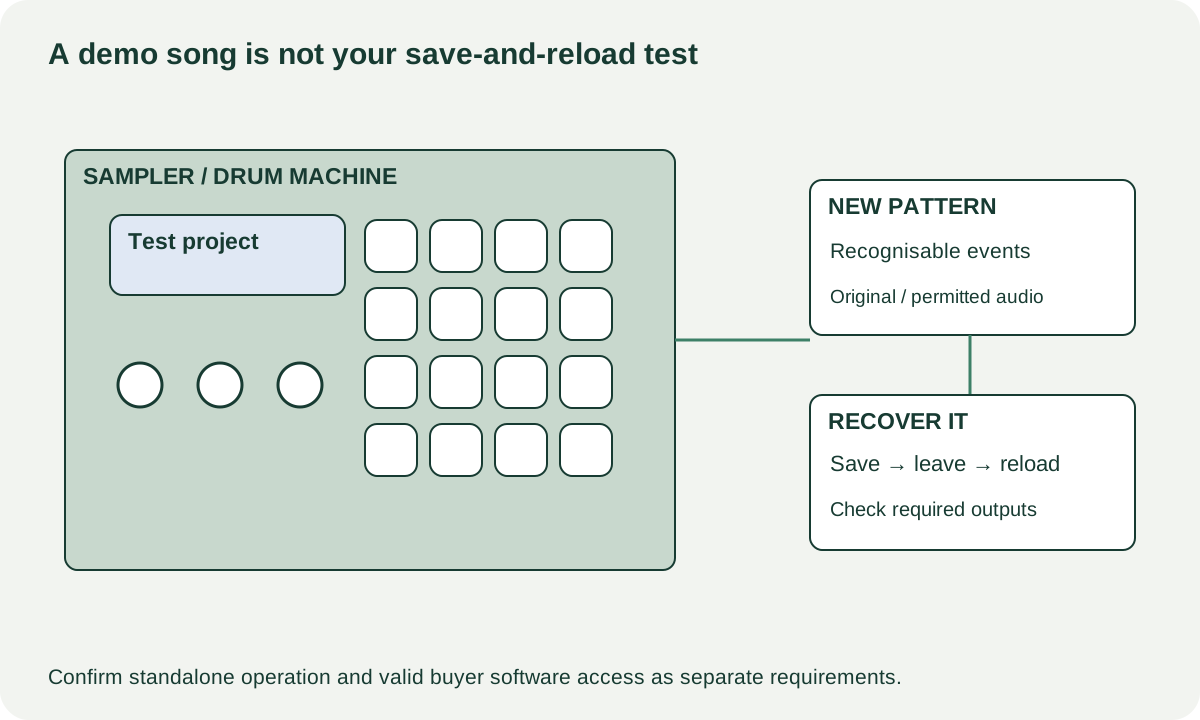
Choose a simple pattern you can recognise: a few drum events with different positions or velocities where supported. That is easier to audit than a polished demo song. If the unit samples audio, capture a short original spoken phrase through the intended input and replay it. If it is a synthesis-based drum machine without sampling, test its own sound and sequencing workflow instead of expecting a feature it never had.
 Enlarge diagram
Test pads as inputs, not just illuminated buttons
Play each required pad normally and compare repeated hits. Test velocity response or pressure only where supported. Watch for double triggers, missed hits or a pad that requires excessive force. Check encoders, transport buttons, screen controls and any sliders through their normal function.
Inspect the case, pad surface, sockets and battery area where accessible. Ask about spills, pad replacement, modifications and repairs. A worn pad graphic is cosmetic; an intermittent contact is a functional issue. Do not remove the pad assembly or open the chassis at pickup to prove a hoped-for easy fix.
Record the pattern and play it back. Verify tempo, start/stop and the sequence features central to your task. If you need external synchronisation or MIDI, connect the actual supported external device where practical. A rhythm playing correctly by itself does not demonstrate clock input, MIDI output or a particular adapter pin arrangement.
Save and reload through the intended storage path
Follow the exact model’s supported save procedure, leave the project and reload it. Confirm that the recognisable events or sample remain in the right place. Restart only with the seller’s agreement after saving, then verify the result if that is part of the planned test.
Roland’s SP-404MKII import/export documentation separates sample and project workflows through supported media. Its current support page is the place to locate the manual matching the installed version. Use that model-specific approach for any sampler; do not assume a USB socket exposes the same file structure as a removable card.
Test audio outputs and headphones separately. Listen to the saved pattern at a comfortable level for missing channels or intermittent sound. If a transfer route matters, export the agreed test data and confirm it opens in the intended compatible software. A successful backup file is not necessarily an ordinary audio file you can play anywhere.
| Test | Record the actual result |
|---|---|
| Pads and controls | Required inputs, sensitivity settings and observed misses |
| Pattern/sample | New original test material created successfully |
| Storage | Save, leave and reload; agreed restart if performed |
| Connections | Required audio, MIDI, sync and computer paths |
| Buyer access | Supported registration, software and expansion rights |
Compare the complete music-making route
A hypothetical controller costs $90, but valid required software costs $80, a correct cable $15 and collection $15: $200 before considering whether your computer supports it. A $210 standalone unit may be more suitable or less suitable depending on the actual workflow. These numbers are illustrative; software access should be verified, not guessed.
A missing supported storage card or power supply can be priced once its specification is known. Repeated save errors, intermittent pads or an unresolved registration problem are different uncertainties. Have the seller resolve them or arrange competent assessment before buying a ready-to-use setup.
Confirm which power supply, adapters, storage and original parts are included. Let the seller remove their projects and accounts through the authorised procedure after demonstration, then verify your own supported setup. A successful purchase lets you make and recover your own work; the seller’s impressive demo should not be the only project the machine can reliably play.