How to test a used digital piano or keyboard before buying
Quick answer
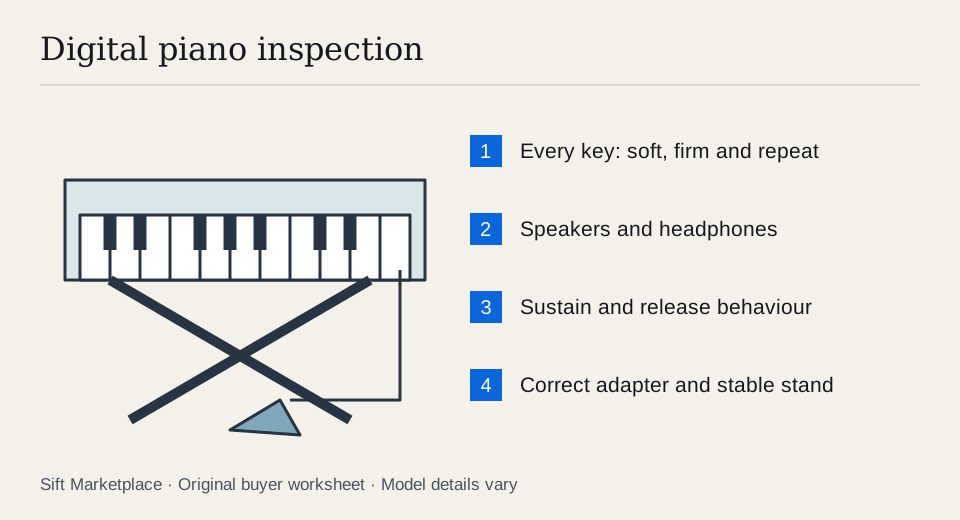
Play every key softly and firmly, then repeat notes and chords to check consistent response. Test speakers, headphones and the actual sustain pedal, and confirm the model has the outputs and key action you need. Inspect the stand and correct power supply. A built-in demo song bypasses much of the keyboard mechanism, so it is not a substitute for playing.
Separate a digital piano from a controller or arranger
A digital piano usually prioritises piano playing; a portable keyboard may prioritise sounds and accompaniment; a MIDI controller may have no internal sound at all. Determine which kind of product the listing actually contains before comparing prices.
Write down your needs: key count, action, built-in speakers, headphone output, sustain pedal and computer connection. If you are taking lessons, check the teacher’s requirements before buying a model that cannot support them. “Touch sensitive,” “weighted” and “hammer action” describe different aspects of the playing experience and should be checked against the manufacturer’s specification.
Get the exact model and its manual. The Yamaha P-145/P-143 manual, for example, distinguishes supported pedal arrangements and documents its connections and controls. Use the equivalent document for your candidate; do not assume a pedal or USB feature transfers across similar names.
Make a playing-position plan as well as a feature list. Measure the complete instrument on its proposed stand, with room for knees, the pedal and the power connection. Sit at a suitable height and check whether the keys are comfortable to reach. A console with an integrated three-pedal assembly and a portable instrument on a folding stand can need quite different space and transport arrangements.
For a beginner’s practice setup, the decisive test may be consistent key response, stable support, useful headphones and normal sustain. For recording, add the exact computer path. For stage use, add the required outputs and controls. A low price on features outside that plan does not compensate for a missing essential one.
 Enlarge diagram
Inspect the instrument before the first chord
Sight along the keys for uneven height, cracked ends and keys that remain depressed. Check gaps for debris or signs of a spill without inserting tools. Inspect the power socket and adapter label. The correct voltage, polarity and current requirements matter more than whether a plug happens to fit.
On a console piano, inspect the cabinet joints, pedal assembly and fixings. On a portable keyboard, test the actual stand and its locking mechanism. A loose folding stand or missing cross-brace is not a cosmetic issue when it supports a heavy instrument.
Ask the seller to show any known fault and describe its occurrence. A note that occasionally plays too loudly can be easy to miss if you only play a familiar piece once. Plan a systematic pass across the entire keybed.
Play every key at several strengths
- Choose a plain piano sound. Turn off accompaniment, layers and effects that make comparisons harder. Keep the volume at a comfortable level.
- Play each key softly. Move from the lowest to highest note, listening for missing notes and unexpected loud notes. Keep your playing pressure as consistent as practical.
- Repeat with a firmer touch. Check whether response changes naturally where the model supports velocity sensitivity. A fixed-volume setting needs to be identified before diagnosing the keyboard.
- Repeat individual notes. Test several quick repetitions and release each key fully. Pay extra attention to any key that sticks, double-triggers or behaves differently from its neighbours.
- Play chords and a familiar passage. Check the range you normally use, including black keys and both ends of the keyboard. Judge mechanical noise as well as the amplified sound.
- Listen through headphones. Test left and right channels and whether inserting the plug behaves as the manual describes. Then return to the built-in speakers and compare.
- Test the pedal. Hold notes, press and release sustain and listen for the expected changes. Test additional pedals or half-pedal behaviour only where supported and relevant.
The purpose is consistent response, not a universal loudness threshold. Different instrument sounds and touch settings can produce different dynamics. If one note remains an outlier after normal settings are restored, price it as an unresolved keybed problem until properly assessed.
Keep a simple key map. Mark any suspect note by position, sound and touch setting, then repeat it with nearby keys. If the same note plays unusually loudly on a plain sound at ordinary settings, ask for assessment of that result. If all notes ignore playing strength, first verify whether the instrument supports velocity and whether its current setting intentionally fixes it. A demo song playing normally does not resolve either keybed question.
Test sustain release as deliberately as sustain hold: play notes, hold the pedal, release your fingers, then release the pedal and listen. Repeat without the pedal. If the behaviour changes after the seller follows the correct connection/startup procedure, record the working pedal and sequence. If notes remain stuck or a required half-pedal function cannot be demonstrated, keep it unresolved instead of assuming any replacement pedal will cure it.
Try the outputs you will actually use
Connect the instrument to your own headphones, amplifier or audio interface if those connections are essential. Confirm that a headphone socket can meet your intended use without assuming it is identical to dedicated line outputs. Begin at low volume and use the correct cables.
If computer recording matters, test the exact route. USB MIDI can send played-note information to software without carrying the keyboard’s internal sound. USB audio support, traditional MIDI connectors and audio outputs vary by model. The audio-interface guide helps if you need a separate recording connection.
Try any crucial buttons, wheels, sliders and display functions. For a stage instrument, test sustain, expression and output controls as a live setup. For an arranger, demonstrate the accompaniment and storage functions you actually plan to use rather than assigning value to a large untested feature list.
Price the complete playing position
| Item | What to confirm |
|---|---|
| Power supply | Exact compatible specification |
| Sustain pedal | Correct behaviour with this model |
| Three-pedal unit | Supported unit and required stand attachment |
| Stand | Stable fit and included fasteners |
| Bench | Suitable height and secure adjustment |
| Music rest | Correct slots or attachment points |
| Carrying case | Actual fit and adequate protection |
An illustrative $250 keyboard plus a $65 stand, $35 pedal and $40 adapter totals $390. A $350 complete instrument may be the lower-cost choice if its action and condition suit you equally well. Those are example inputs, not typical prices; use real quotes in the listing comparison tool.
For a console model, measure doorways, stairs and the vehicle. Check the manufacturer’s permitted disassembly and lifting guidance. Avoid lifting by the keyboard cover, music rest or pedals, and arrange enough help for the weight. Photograph the hardware arrangement with permission before separating the stand.
Sift, a free Facebook Marketplace filter and scam checker that also works on Kijiji, helps focus exact-model searches on Chrome on a computer. Use required and excluded listing words, then follow recorded prices while arranging the hands-on playing test.
Questions people ask
Is an 88-key keyboard always weighted?
No. Key count and action type are separate specifications. Check the manufacturer’s description and play the instrument. Choose the action that suits your lessons or performance needs rather than assuming the number of keys establishes it.
Why does a sustain pedal work backwards?
Pedal compatibility, polarity or startup behaviour may be involved, depending on the model. Follow the instrument’s manual with the correct pedal connected. Demonstrate normal sustain and release before treating it as resolved.
Can USB MIDI record the keyboard’s sound?
MIDI carries performance messages, not the instrument’s audio by itself. Check whether the exact keyboard also supports USB audio or whether you need its audio outputs and an interface. Test the workflow you intend to use.
Sources
- 01Yamaha P-145/P-143 owner’s manual